
How to Set Up Your Own Weaviate Cluster
If you are building systems that rely on semantic search, retrieval-augmented generation, or long-term memory for AI agents, you will eventually need a vector database. This is where Weaviate typically enters the architecture.
Before creating a weaviate cluster, it helps to understand what Weaviate provides, how clustering fits into real-world systems, and how data is stored and retrieved once a cluster is running. This context makes the setup process, choosing deployment options, configuring authentication, and scaling, much easier to reason about.
If you are already familiar with vector databases and distributed deployments, you can skip ahead to the step-by-step tutorial on creating a weaviate cluster. Otherwise, the next sections establish the conceptual foundation that informs how Weaviate is used in practice.
What Is Weaviate?
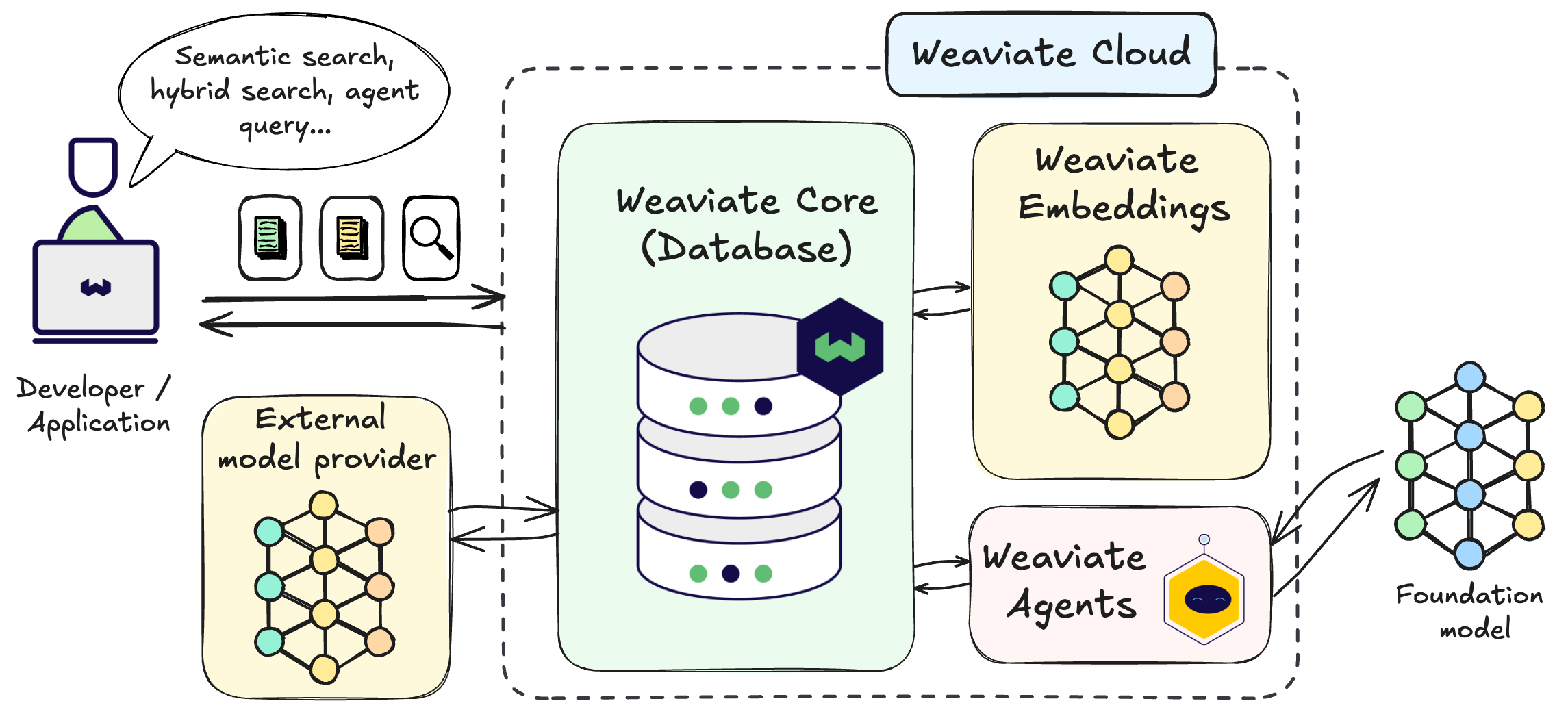
Weaviate is an open-source vector database designed for applications that need to search and retrieve data based on semantic similarity rather than exact matches.
Traditional databases are optimized for structured queries: filtering rows, matching strings, and aggregating values. Weaviate is optimized for a different problem. It stores vector embeddings alongside structured metadata and allows you to search those vectors efficiently at scale.
In practical terms, Weaviate enables semantic search and retrieval over embedded data, supports context retrieval for large language models, and combines vector similarity with metadata filtering. It typically sits between embedding models that generate vectors and downstream applications that need fast, reliable access to relevant information.
When you query Weaviate, you are not asking whether two strings match. You are asking whether two pieces of data are similar in meaning, as represented by their vector embeddings.
What Is a Weaviate Cluster, in Practical Terms?
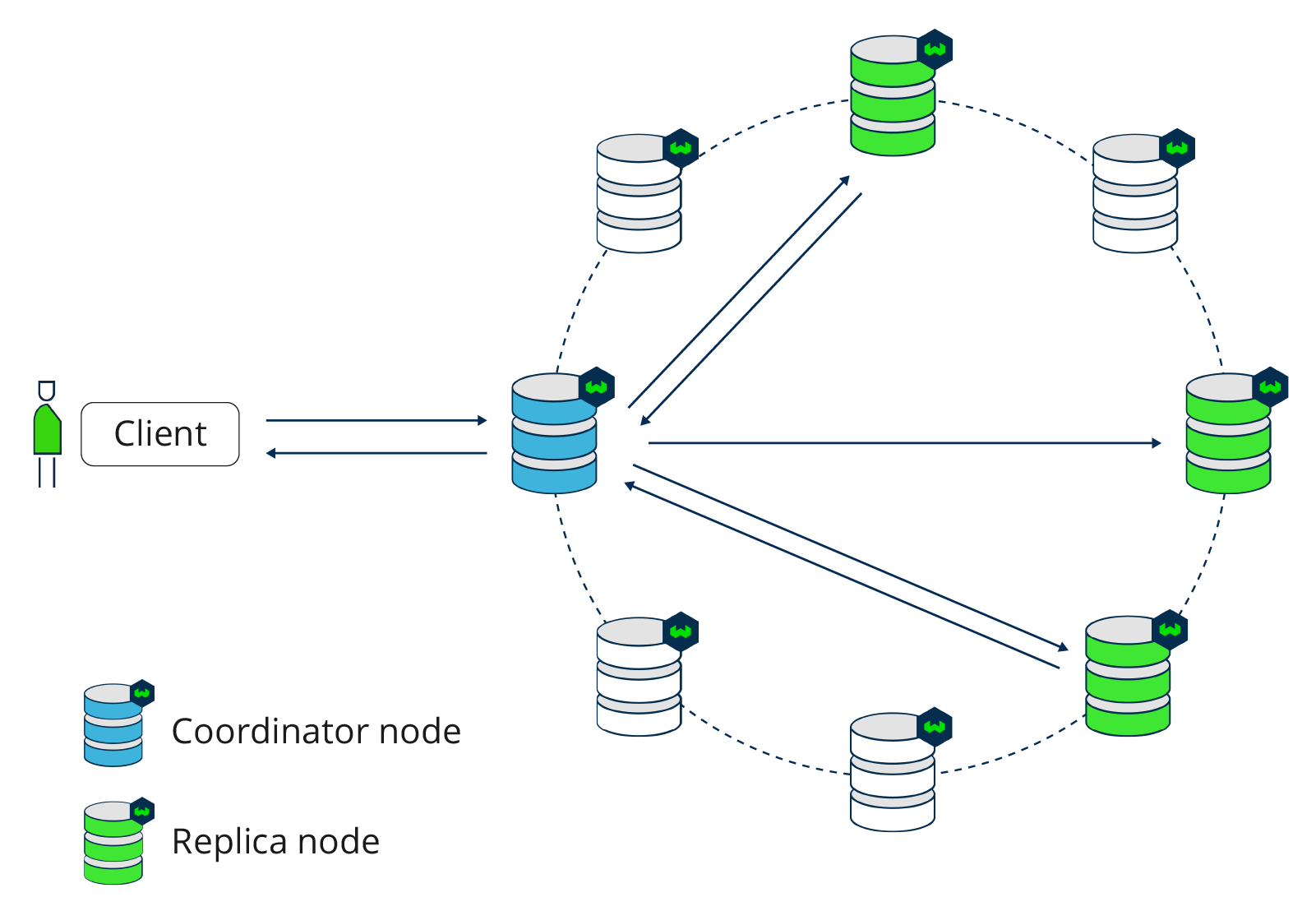
A weaviate cluster is a deployment of Weaviate that can run across one or more nodes and operate as a single logical system.
From an application’s perspective, a Weaviate cluster exposes a single endpoint that handles storing vector embeddings with metadata, indexing them for fast similarity search, and executing queries. A cluster may run as a single node in simple setups or multiple nodes for better scalability, reliability, and performance.
Clustering becomes important as datasets grow beyond a single machine, when consistent performance is needed under concurrent query load, or when resilience to node failures matters. Even if you start small, designing around a Weaviate cluster helps your system scale from experimentation to production without major architectural changes.
Creating a Weaviate Cluster (Step-by-Step Tutorial)
With the conceptual foundation in place, we can now move into the practical workflow. In this section, you will create a weaviate cluster using Weaviate Cloud and prepare it for authenticated access.
The goal is not just to provision infrastructure, but to understand how each configuration choice affects how the cluster behaves once it is part of a real system.
Step 1: Open the Weaviate Cloud Console
Start by navigating to the Weaviate Cloud console
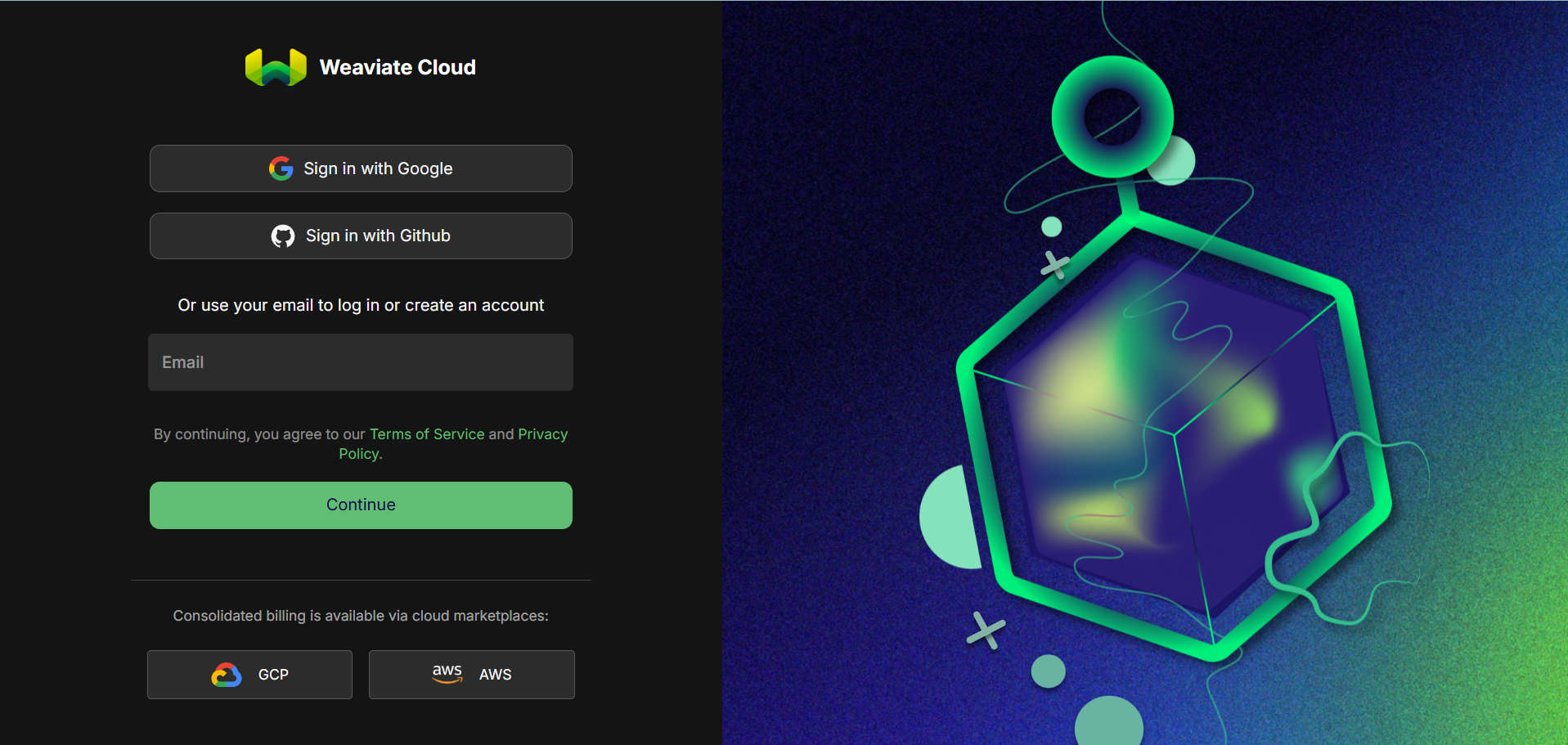
This console is the central interface for managing weaviate clusters, organizations, API keys, and access control. All cluster-related configuration and lifecycle management happens here. You will be prompted to Sign in or Sign up.
Step 2: Access the Organization Menu
Once logged in, look at the top navigation area of the console. Click on the dropdown toggle. A dropdown menu will appear. From this menu, select the option to add a new organization.
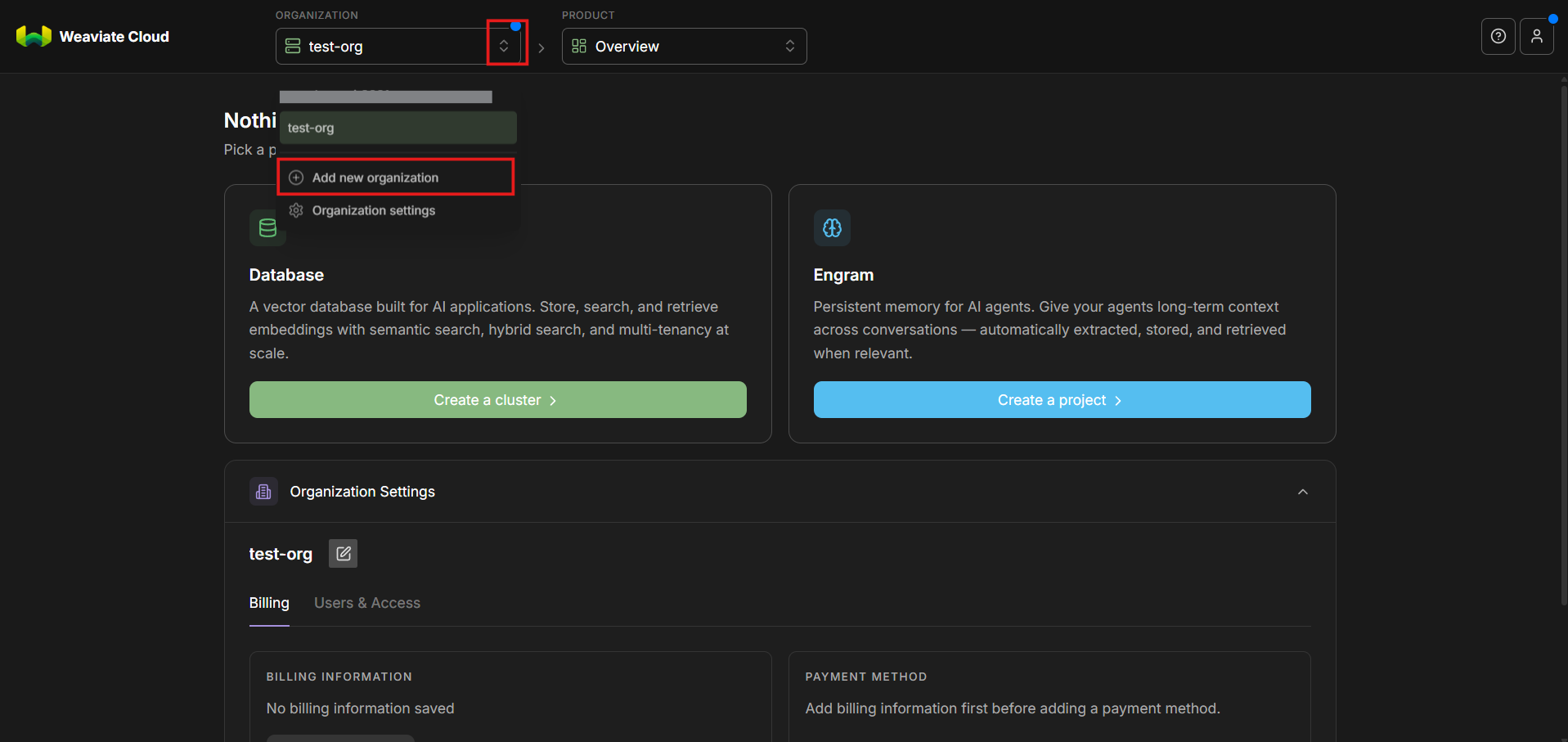
Step 3: Create a New Organization
Create a new organization and give it a descriptive name.
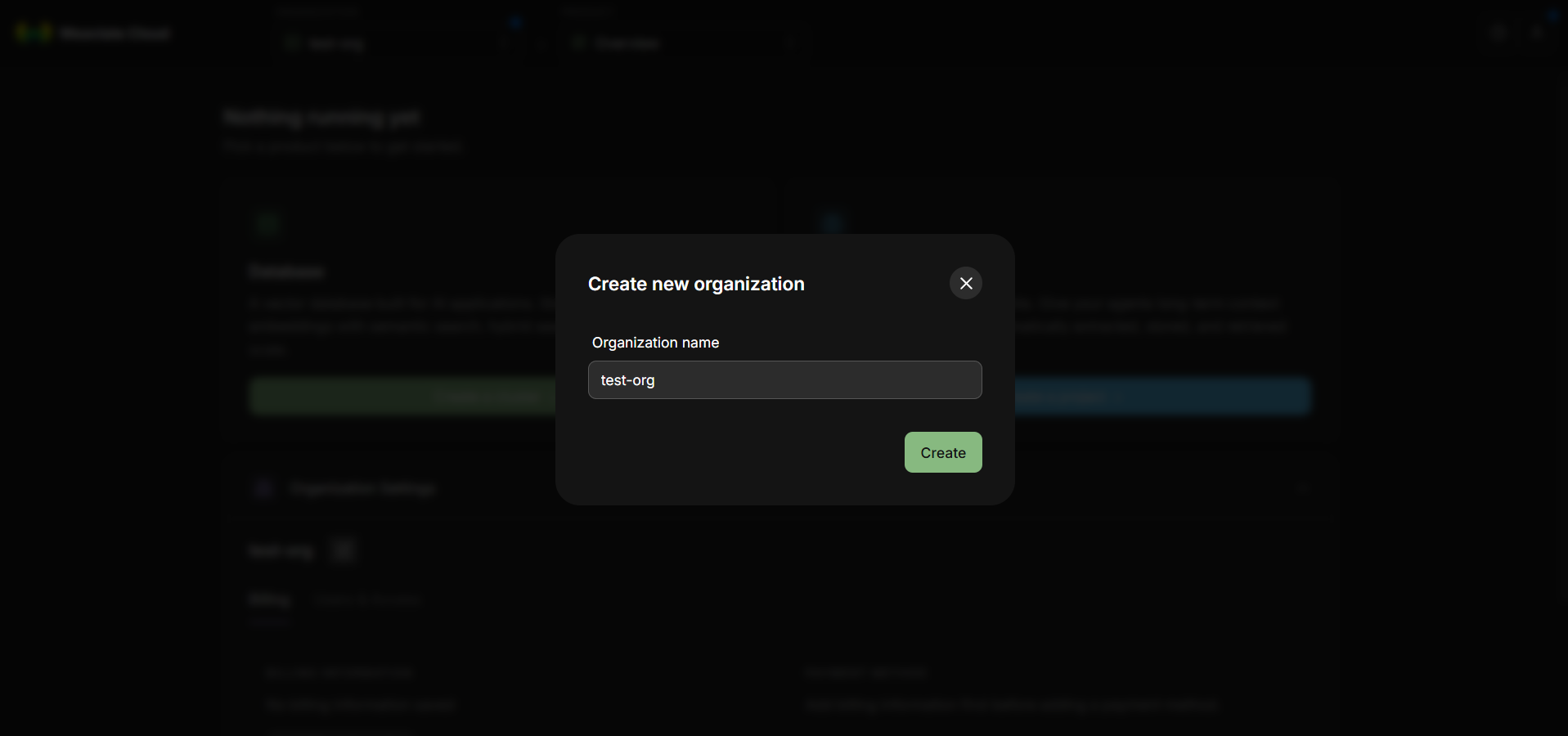
Creating an organization first is an important structural step. In Weaviate Cloud, an organization acts as a logical container for clusters, API keys, access control, and billing or usage boundaries. This mirrors how many cloud platforms separate resources by project or account. An organization allows you to group related weaviate clusters together and manage them consistently.
Even if you are working independently, creating an organization helps you separate experimental and production environments, prepare for future collaboration as your projects grow, and avoid mixing unrelated clusters under a single global scope, leading to cleaner structure and better long-term management.
Once the organization is created, make sure it is selected as the active context in the console.
Step 4: Create a New Cluster
Under the newly created organization, click Create cluster. This initiates the workflow for provisioning a weaviate cluster. At this stage, you are defining the infrastructure that will store vectors, metadata, and indexes for semantic search.
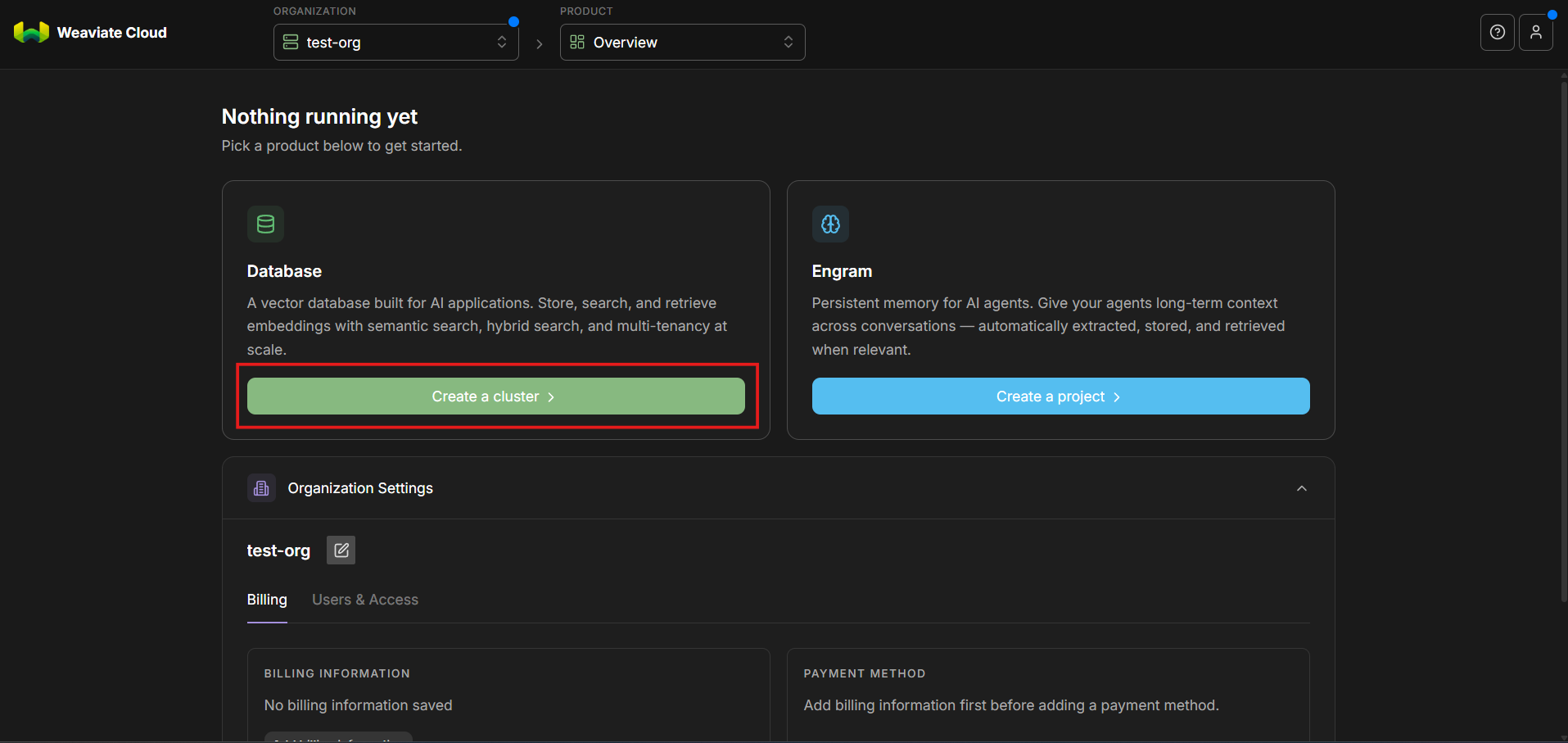
Step 5: Choose the Cluster Type (Sandbox, Shared, Dedicated)
You will now see three cluster options:
- Free
- Shared
- Dedicated
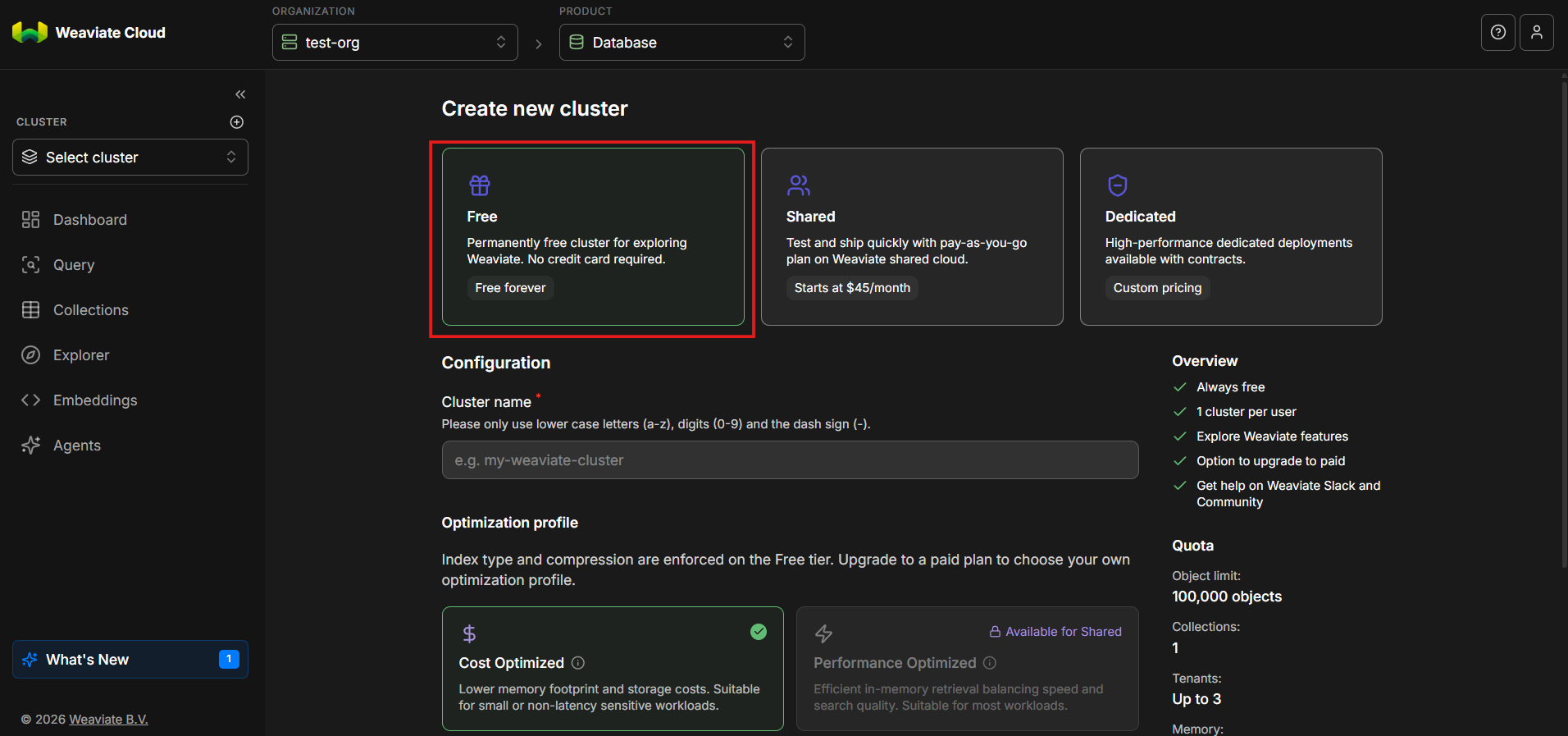
These options represent different operational models, as described in the official Weaviate Cloud documentation.
Free
The Free tier is designed for learning, experimentation, and development. It runs in an isolated but limited environment with lower cost and simpler configuration, making it ideal for tutorials, testing features, and early-stage prototyping before moving to a more robust setup.
Shared
The Shared tier operates in a multi-tenant environment and is suitable for lightweight production workloads. It balances cost and performance by sharing underlying resources across users while keeping access logically isolated, offering a practical middle ground between experimentation and full-scale deployment.
Dedicated
The Dedicated tier provides fully isolated infrastructure with predictable performance and scaling. It is designed for production systems that require higher reliability, stronger performance guarantees, and greater operational control, typically at a higher cost in exchange for that isolation and stability.
For this tutorial, select Free. It provides everything needed to explore how a weaviate cluster works without introducing unnecessary infrastructure complexity.
Step 6: Configure the Cluster
Cluster Name
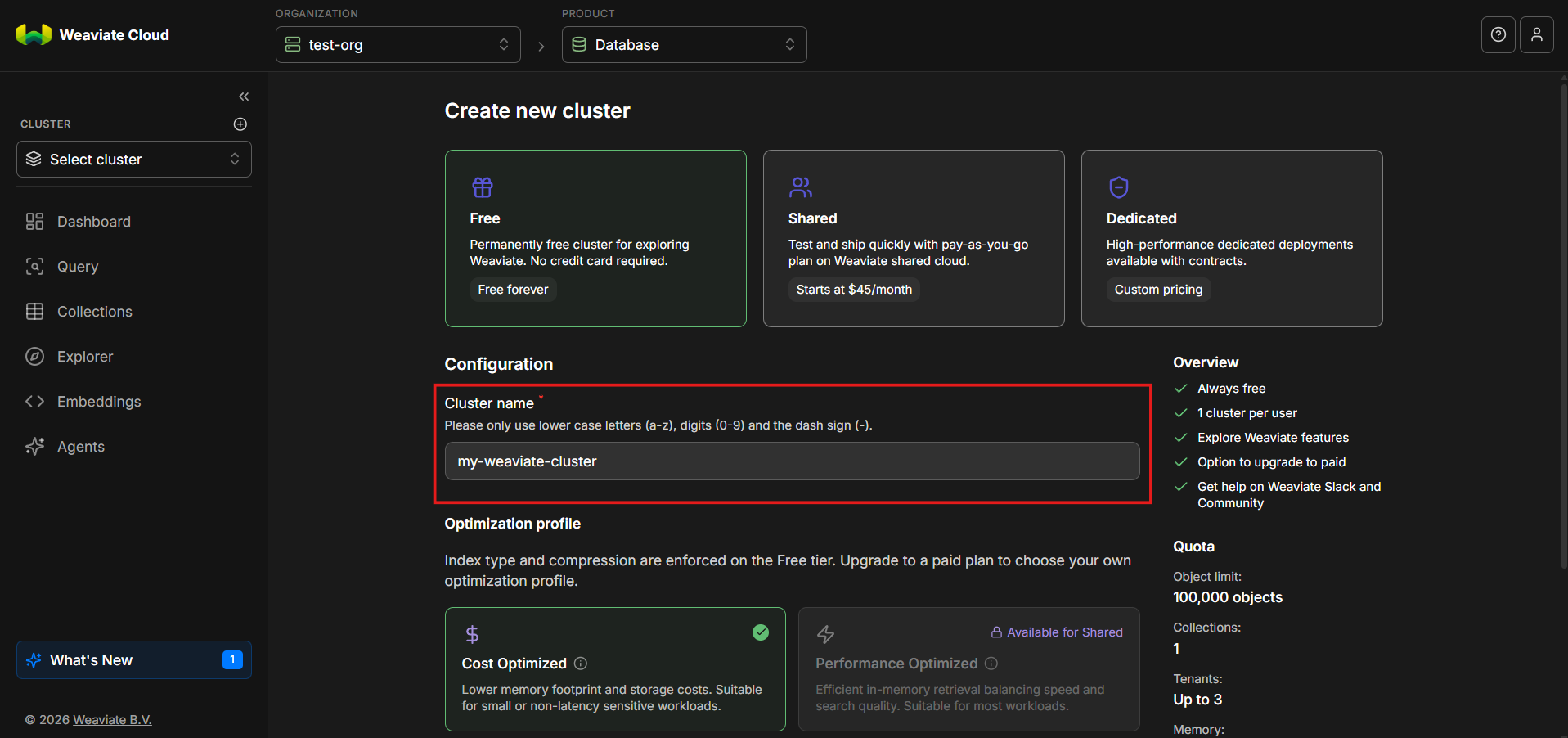
Give your weaviate cluster a clear, descriptive name. Examples include like, weaviate-dev, vector-search-sandbox or rag-experiments.
Naming becomes especially important once you manage multiple clusters.
Optimization Profile
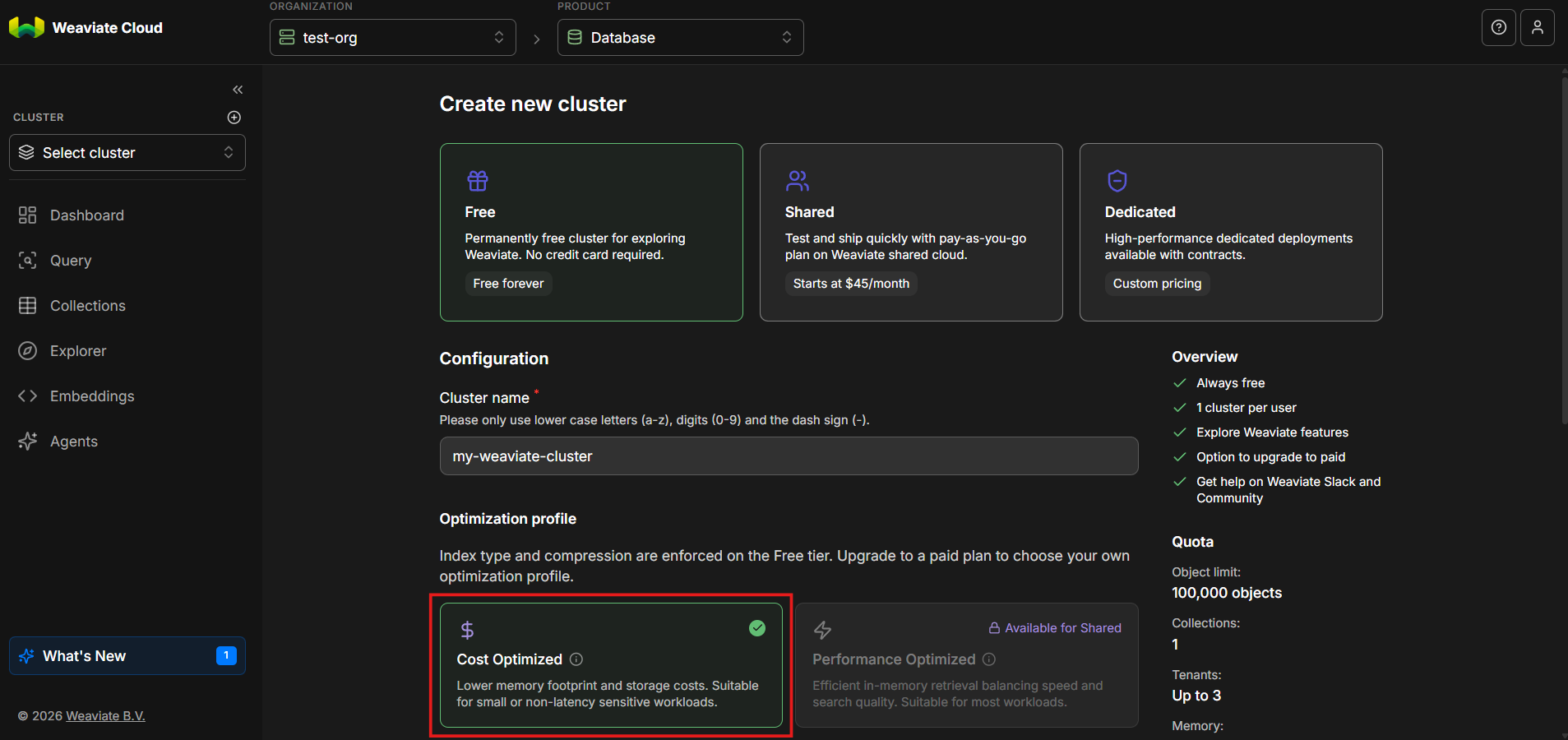
For the free tier, only the cost optimized option is available which provides lower memory footprint and storage costs.
Step 7: Select a Cloud Region
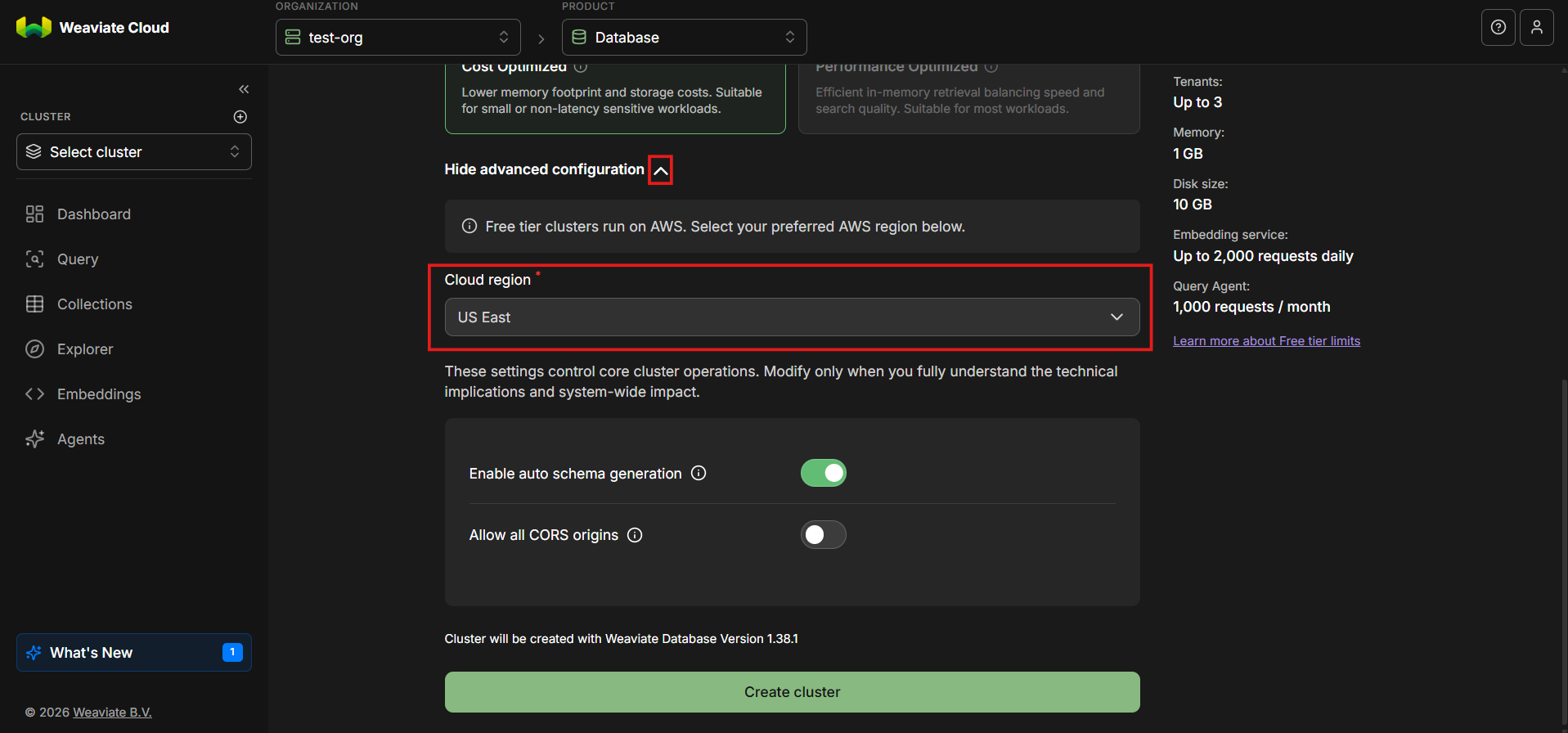
Free tier clusters run on AWS. Choose a cloud region that is geographically close to you or your users, since region selection directly affects performance. Vector search is latency-sensitive and retrieval is often embedded within real-time application flows, so placing your cluster closer to your users helps reduce round-trip time and improves overall system responsiveness.
As a general rule, select the region closest to where queries will originate.
Step 8: Review Advanced Settings
In the Advanced settings section, you can leave the default values unchanged for now. However, it is important to understand what these options control.
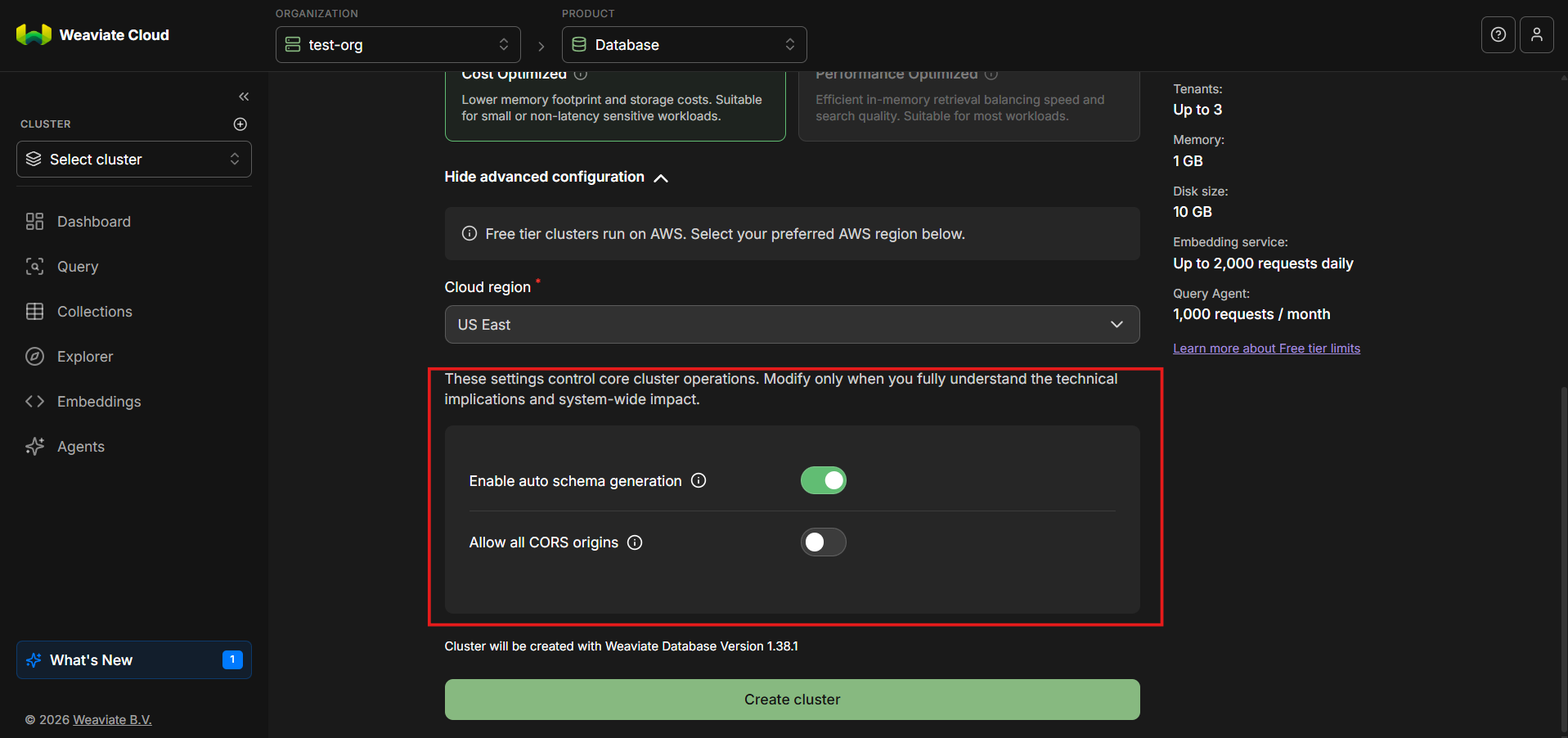
Auto Schema Generation
The auto schema generation option is enabled by default. When enabled, Weaviate can automatically infer schema structure based on incoming data. This is especially useful during exploration and prototyping, as it reduces upfront configuration. In more controlled production environments, schemas are often defined explicitly. For learning and experimentation, auto schema generation is a practical default.
Allow All CORS Origins
This option is disabled by default. CORS controls which browser-based clients are allowed to interact with the cluster. Leaving this disabled is safer and aligns with best practices, especially when API keys are involved.
Step 9: Create the Cluster
Click Create cluster.
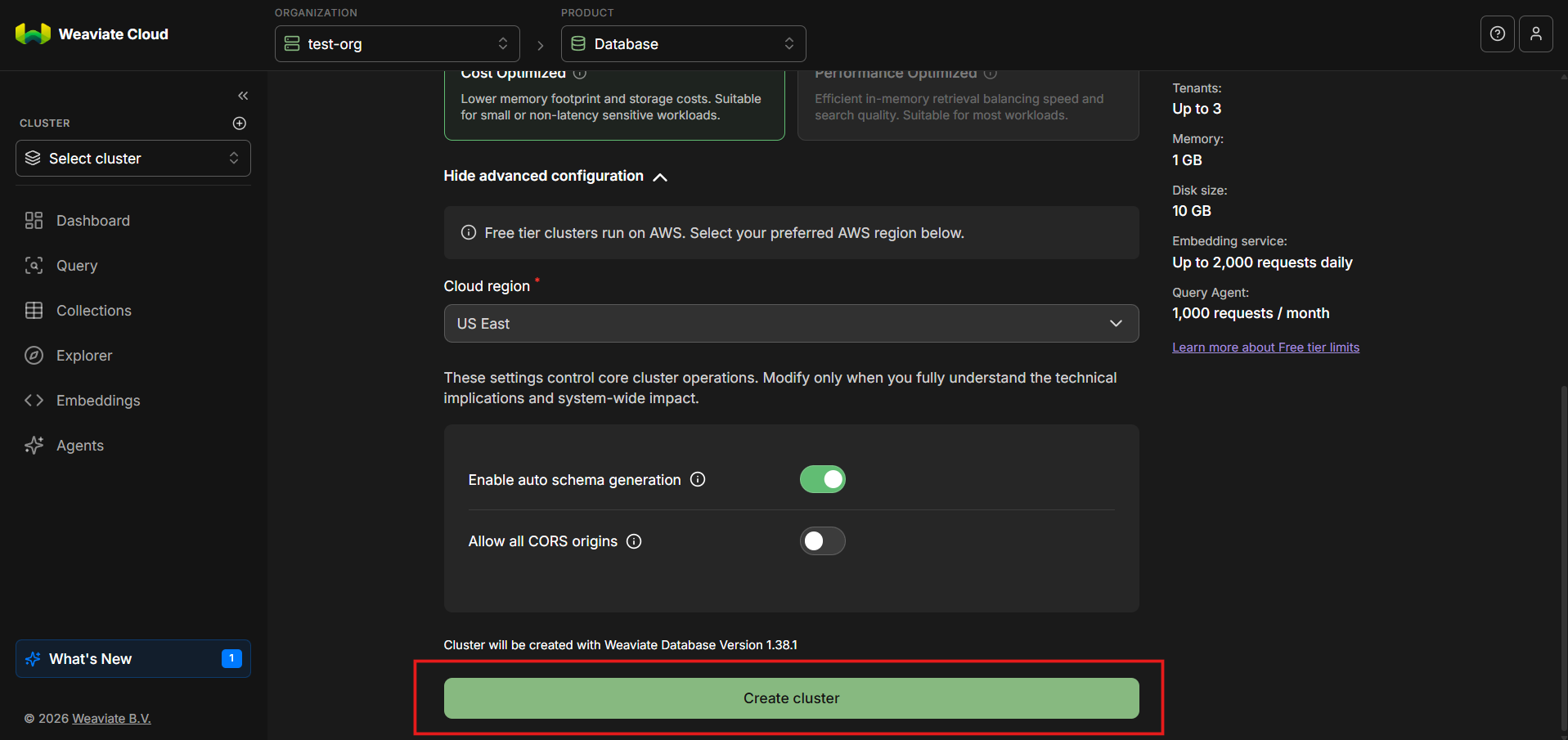
Provisioning will take a short amount of time. While the cluster is being created, its status will indicate that it is initializing. Once the process completes, your cluster's name will appear in the left-hand navigation area.
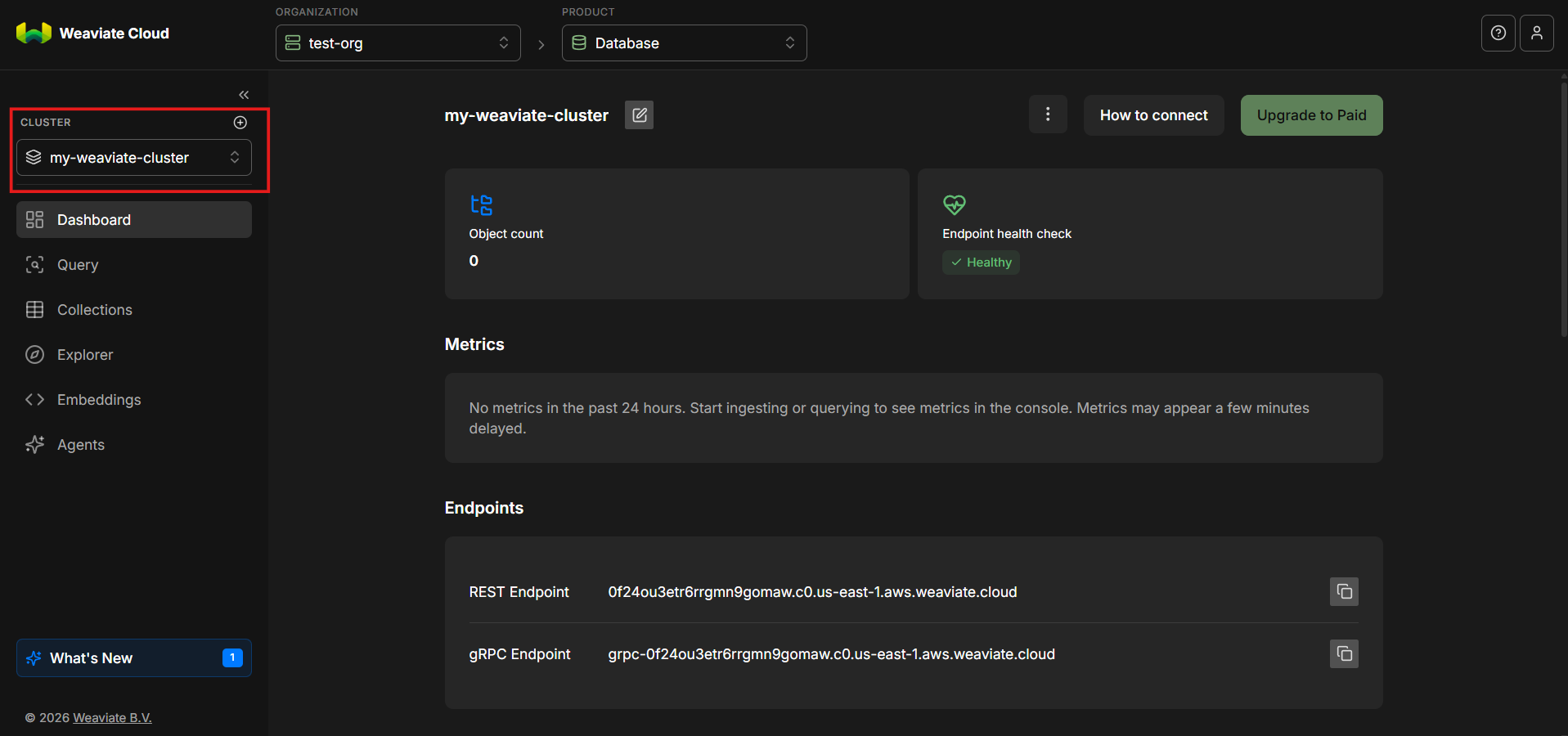
Step 10: Add a New API Key
With the cluster active, scroll down and look to the right-hand side and select New key.
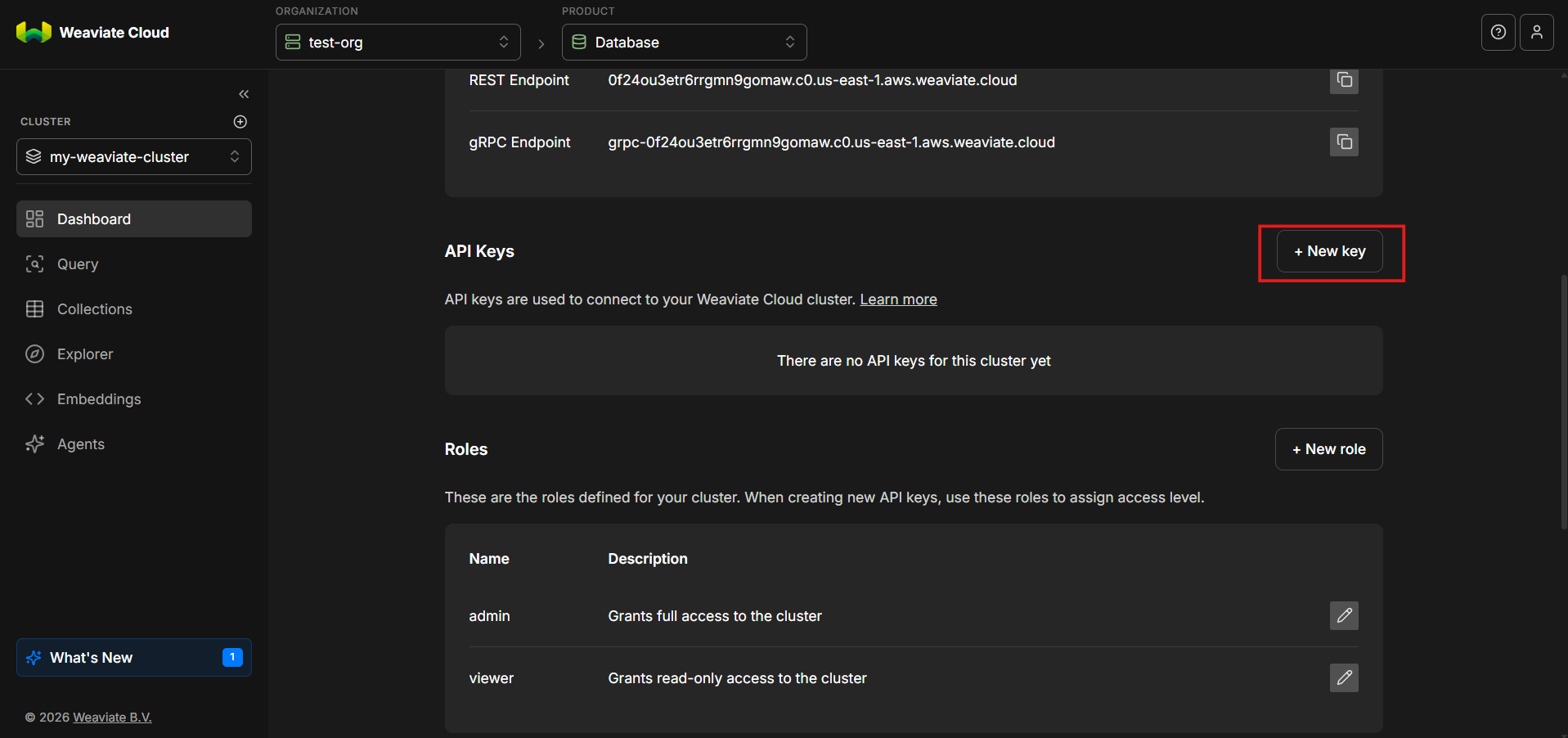
API keys are required to authenticate requests to the weaviate cluster. Without a valid key, requests will be rejected.
Step 11: Name the API Key and Assign a Role
Give the API key a descriptive name and assign an appropriate role.
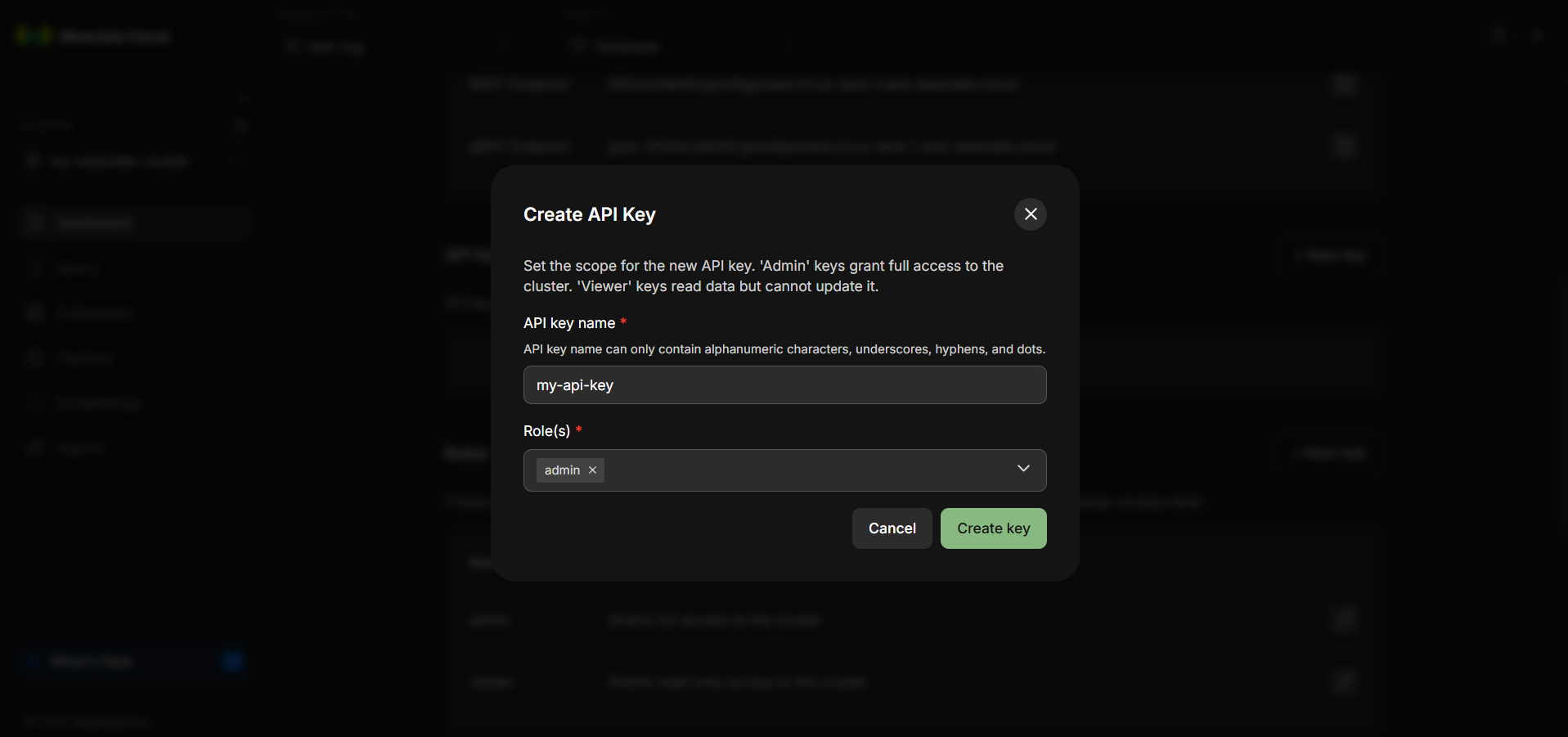
The role determines what actions the key is allowed to perform, such as reading data, writing objects or managing schemas.
As with any infrastructure credential, apply the principle of least privilege. Grant only the permissions required for the intended use case.
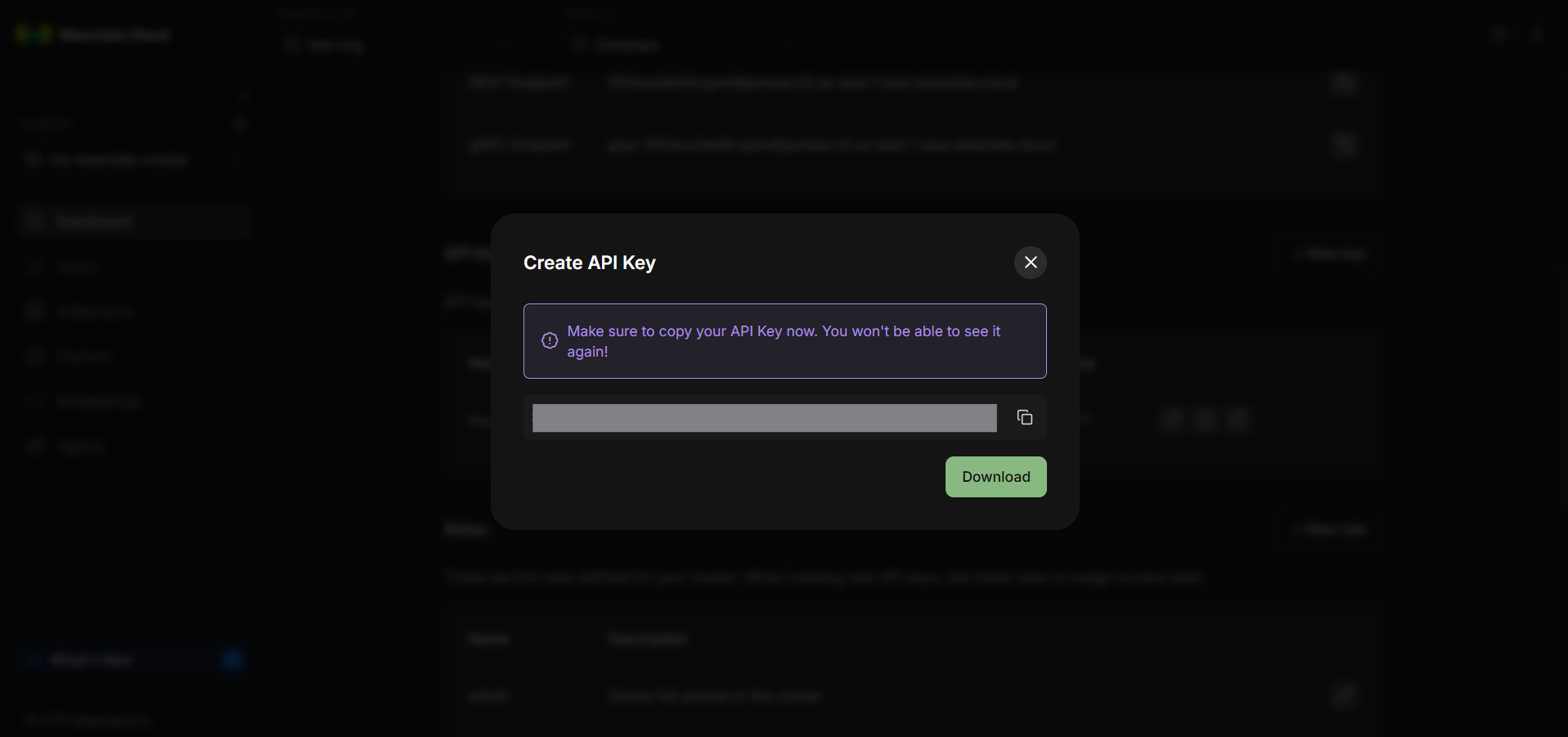
Step 12: Copy and Store the API Key Securely
Once the API key is created, copy it immediately—it won’t be shown again. This is important. Store it securely like any sensitive credential. If it’s lost or compromised, revoke it and generate a new one.
Step 13: Open the “How to Connect Cluster” Panel
Scroll back to the top of the cluster page. On the top-left, click How to connect cluster.
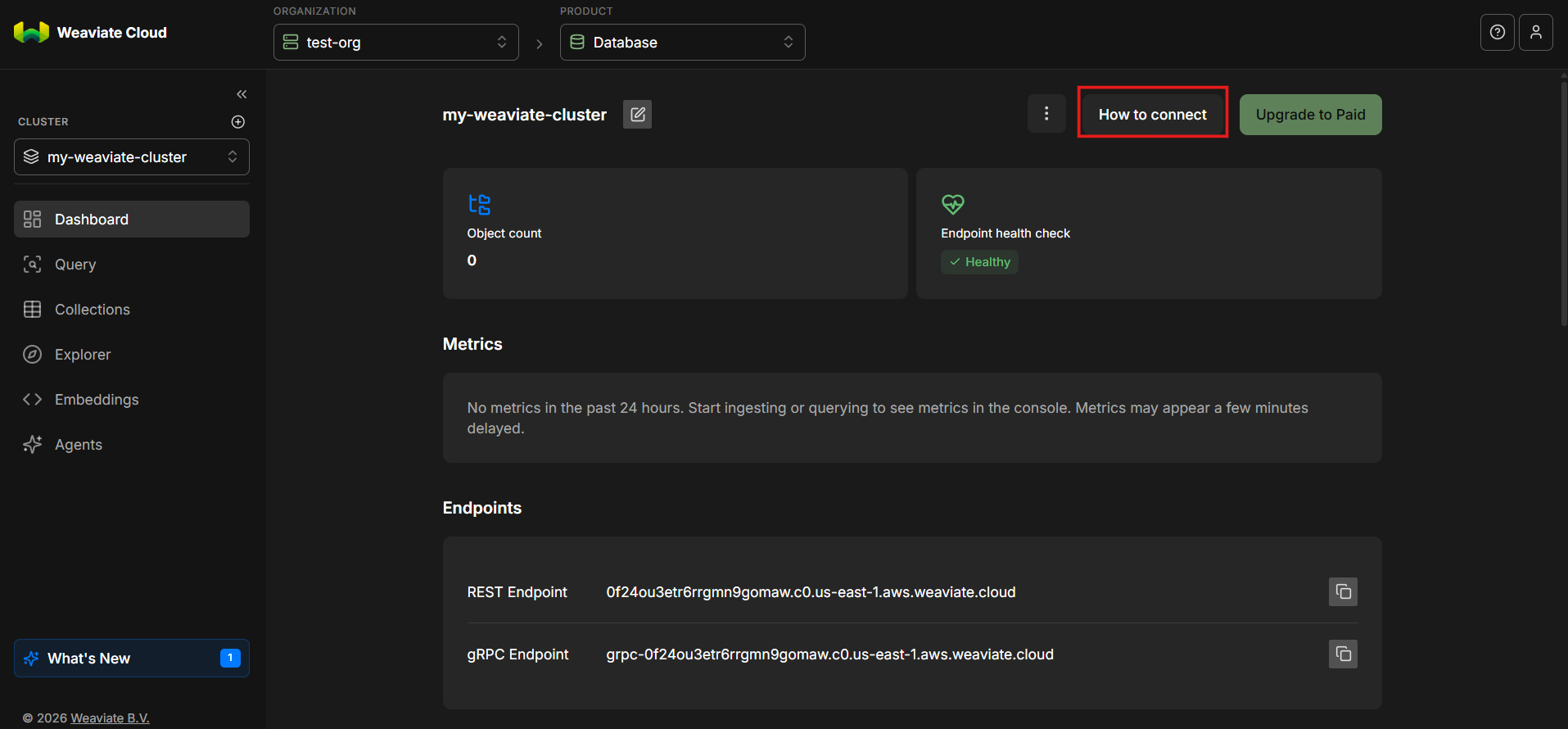
This section provides environment variable examples and connection details for interacting with the weaviate cluster.
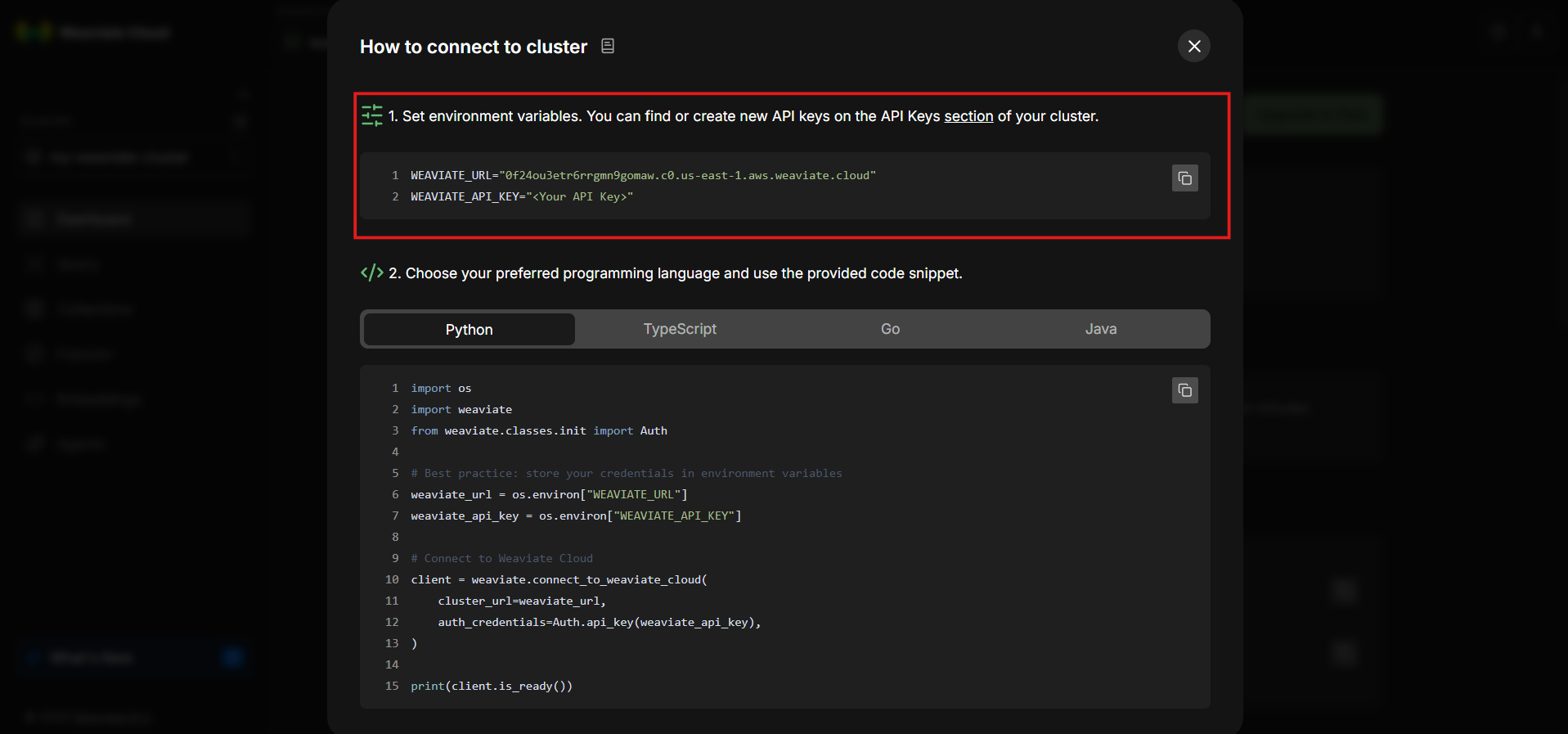
Step 14: Save the Connection Details
Copy the following environment variables:
- WEAVIATE_URL
- WEAVIATE_API_KEY
Replace the placeholder API key with your own key. Make sure that the URL includes https:// at the beginning, exactly as shown in the console. Paste these values into a secure notepad or configuration file.
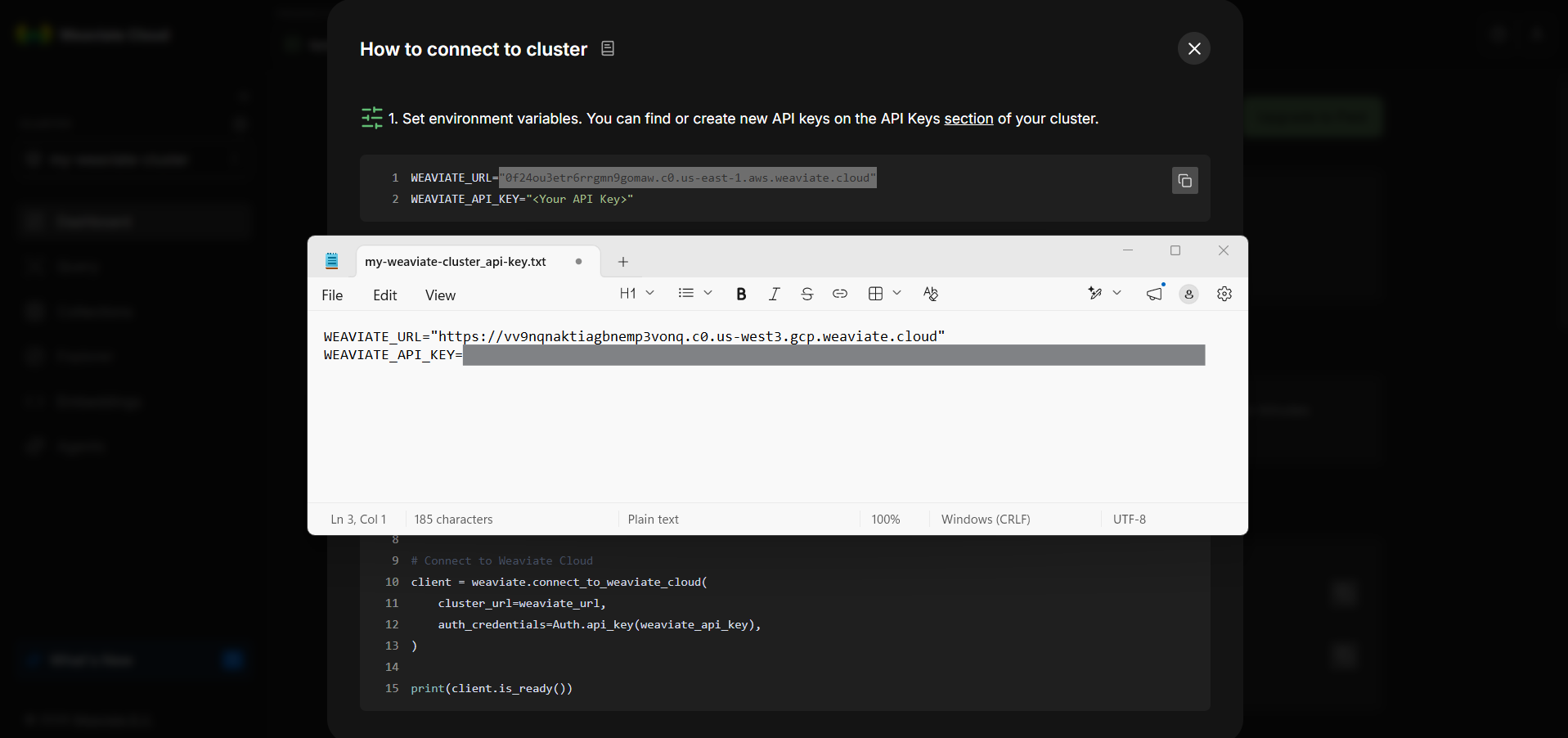
You will need both WEAVIATE_URL and WEAVIATE_API_KEY during hands-on exercises and when integrating the weaviate cluster into applications, scripts, or agentic workflows.
How a Weaviate Cluster Stores and Searches Data
To use a weaviate cluster effectively, it helps to understand its data model at a high level.
Objects, Vectors, and Metadata
In Weaviate, data is stored as objects, where each object typically includes a vector embedding that captures semantic meaning alongside structured properties such as text fields, identifiers, or tags. The vector enables similarity search, while the metadata supports filtering, constraints, and fine-grained control, allowing semantic retrieval to be both flexible and precise within real-world applications.
Vector Indexing and Search
A weaviate cluster maintains specialized vector indexes to make similarity search efficient. These indexes allow the system to identify the most relevant objects without scanning every vector in the dataset.
From an application’s perspective, this process is abstracted away. You submit a query, and the cluster returns the nearest matches based on the chosen similarity metric.
Distance Metrics
Similarity between vectors is measured using distance metrics such as cosine similarity, dot product or euclidean distance.
The choice of metric affects how similarity is calculated and can influence retrieval quality. Most text-based semantic search systems default to cosine similarity.
What Comes Next
At this point, your Weaviate cluster is fully provisioned and accessible. You now have a running vector database, an authenticated API endpoint, and the necessary credentials ready to integrate directly into your application code.
The next steps move from infrastructure setup to actual usage: defining schemas, inserting data, generating embeddings, and performing semantic search. With the cluster in place, you are ready to treat Weaviate as a core component of real AI systems rather than just a configuration exercise.