
How to create your own Tavily API key
If you're planning to integrate real-time web search into your AI applications, the first thing you'll need is a Tavily API key.
Before generating one, it helps to understand what Tavily provides, how it fits into AI-driven workflows, and what capabilities an API key unlocks once it's active. This context makes the rest of the process — authentication, search requests, and result configuration — much easier to reason about.
If you already feel comfortable with these concepts, you can jump straight to the step-by-step tutorial on creating the API key. Otherwise, the next sections provide just enough background to understand what you're enabling when you generate one.
What is Tavily?
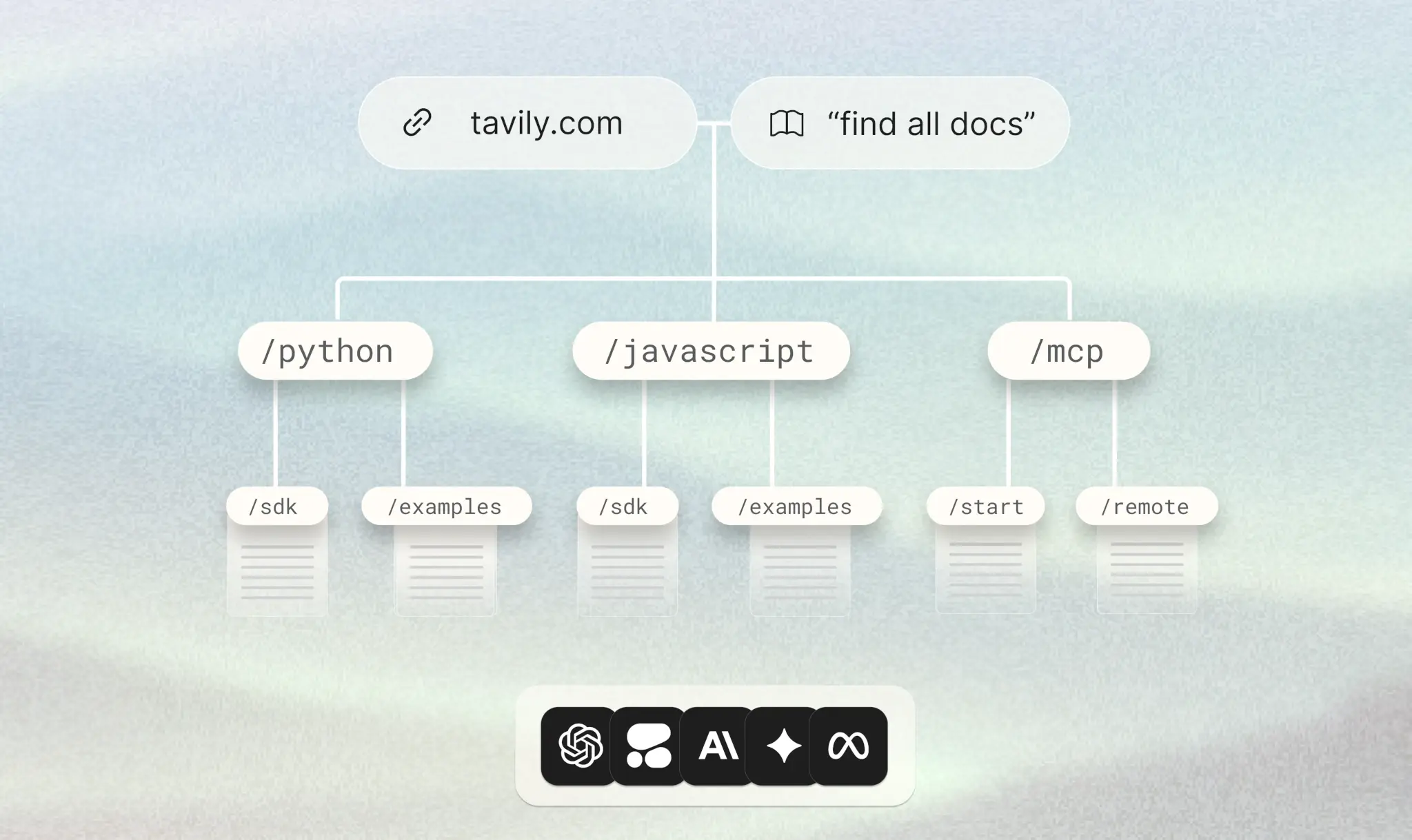
Tavily is a search API purpose-built for AI applications and large language model (LLM) pipelines. Unlike general-purpose search APIs, Tavily is designed specifically to return clean, structured, and LLM-ready results — making it a natural fit for Retrieval-Augmented Generation (RAG) systems, autonomous AI agents, and research automation workflows.
Tavily is exposed in two primary ways:
- Direct API access, for developers embedding search capabilities into custom applications and pipelines
- Framework integrations, through tools like LangChain, LlamaIndex, and CrewAI, where Tavily functions as a drop-in search tool for agents
When an AI agent needs to answer a question grounded in current information, Tavily bridges the gap between the model's static training data and live web content. It doesn't just return a list of URLs — it retrieves, parses, and filters web content into summaries and snippets that models can directly consume.
What is an API, in practical terms?
An API (Application Programming Interface) is a standardized way for one software system to request functionality from another.
In practice, an API interaction usually looks like this:
- A client sends an HTTP request to a defined endpoint
- The request includes authentication credentials
- The request body contains structured input (often JSON)
- The server processes the request
- The server returns a structured response
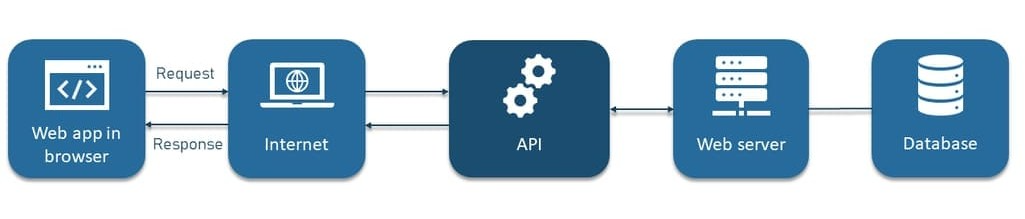
APIs are already deeply embedded in modern software systems: payment platforms use APIs to process transactions, mapping applications call APIs to retrieve routes, and analytics tools use APIs to track user behavior in real time.
The Tavily API follows the same pattern. The difference is that instead of retrieving static data, it executes intelligent web searches and returns AI-optimized results.
The role of the Tavily API key
A Tavily API key is a secret credential that authenticates your requests to Tavily's servers.
It serves three core purposes:
- Authentication: identifies the account making the request
- Authorization: controls access to search features and result types
- Usage tracking and billing: associates API calls with your account and plan
Every request to the Tavily API must include this key. Without it, requests are rejected. Because API keys grant direct access to billable resources, they must be handled with the same care as passwords or cloud credentials.
With that context in place, the next step is to actually generate your API key.
Generating a Tavily API key
Step 1: go to the Tavily Platform
Start by navigating to Tavily Platform.
This is the central dashboard for managing your API keys, monitoring search usage, and configuring your account settings.

Step 2: sign up or sign in
Create a new account using your email address, or sign in if you already have one. Tavily also supports sign-in via Google OAuth for faster onboarding.
Step 3: access your dashboard
Once signed in, you will land on the main dashboard. This is where your API key is displayed and where you can monitor your usage, plan tier, and remaining search credits.
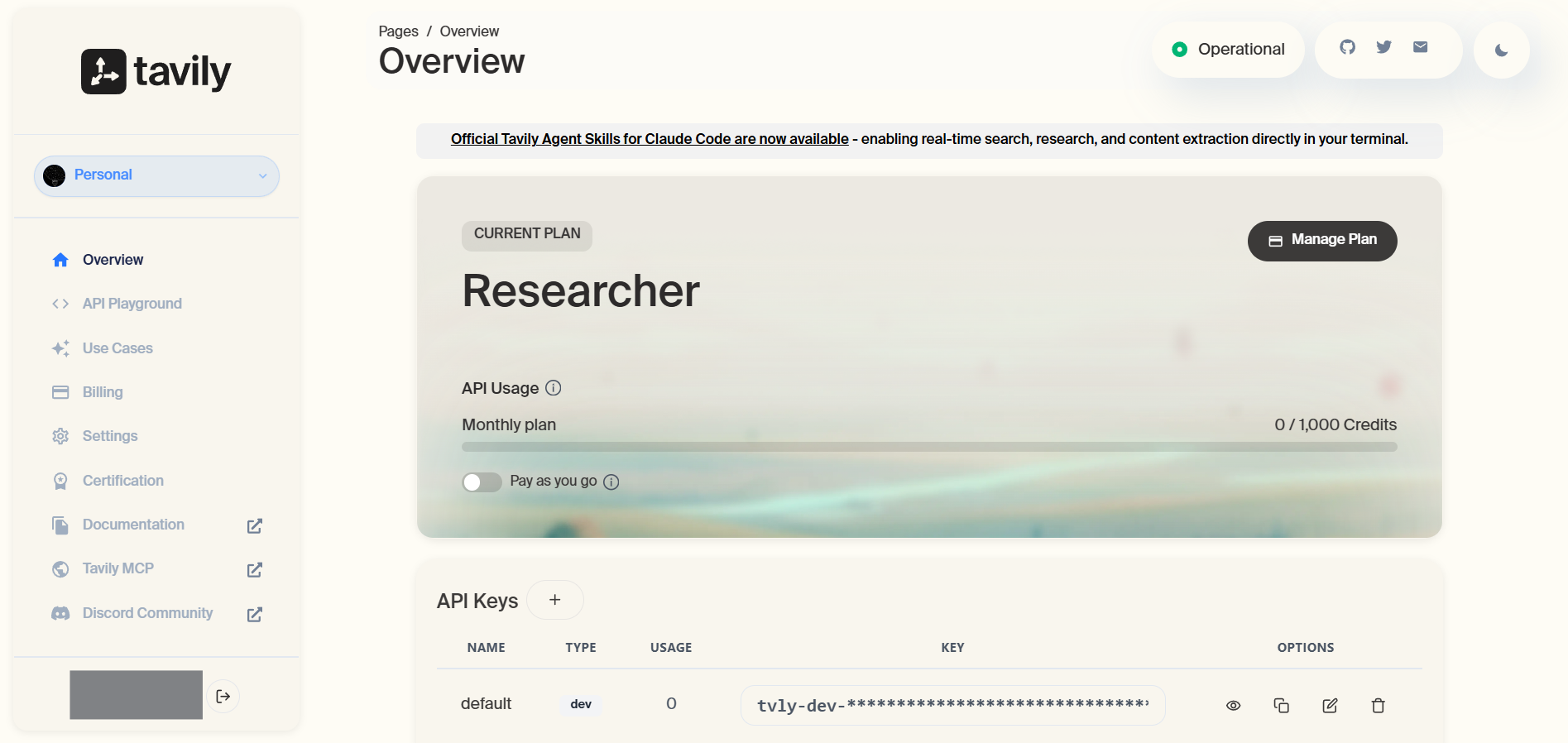
Step 4: locate your API key
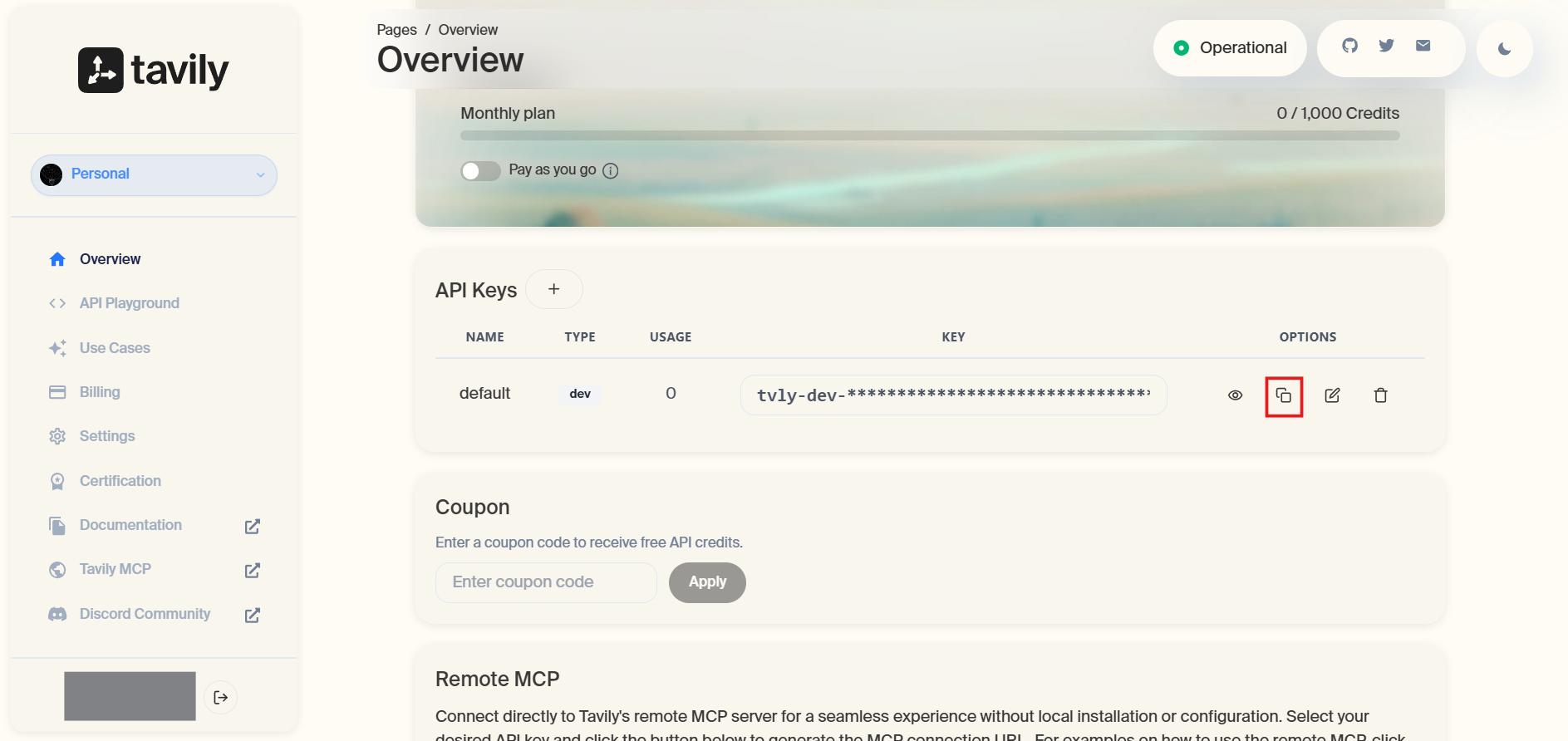
Your API key is displayed directly on the dashboard under the API Keys section. For new accounts, Tavily automatically generates a key upon registration — you do not need to manually create one.
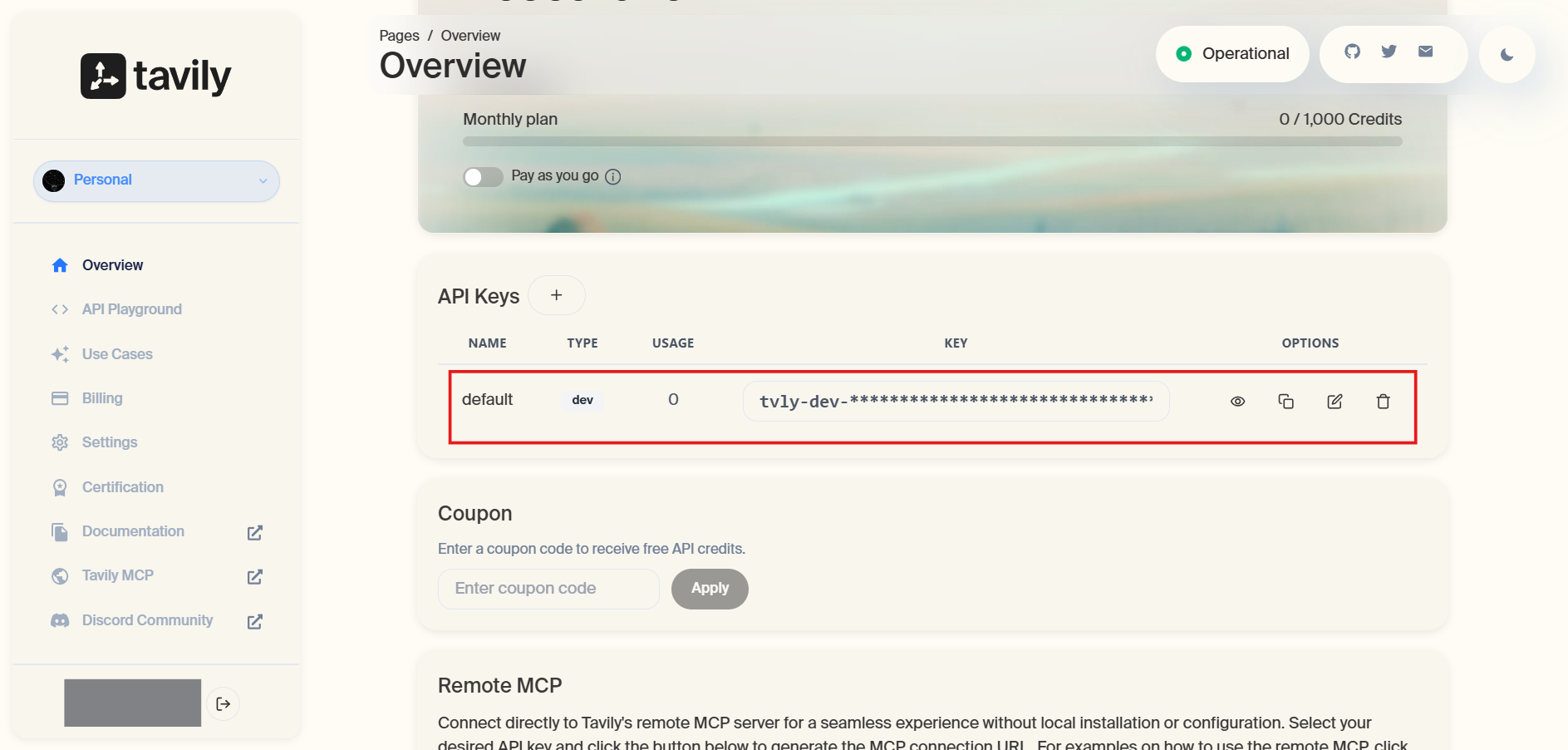
Step 5: copy and save the API key
Once the key is generated, Tavily will display the value on your dashboard. Copy it immediately and store it securely. If you lose access to it, you will need to generate a new key.
Store it in a secure location such as a password manager or environment variable file. Treat it like a password: do not share it or commit it to version control.
Step 6: (optional) create an additional API key
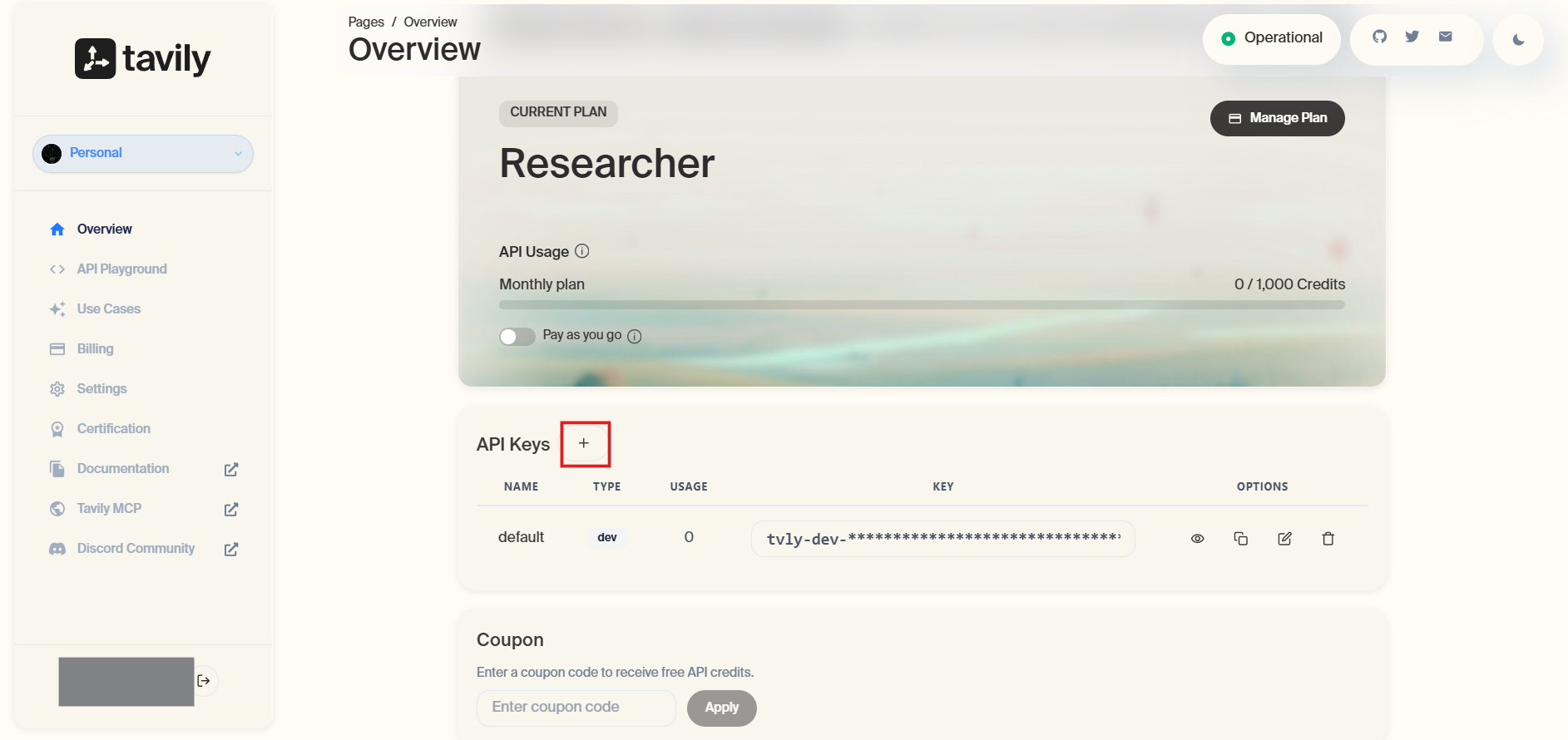
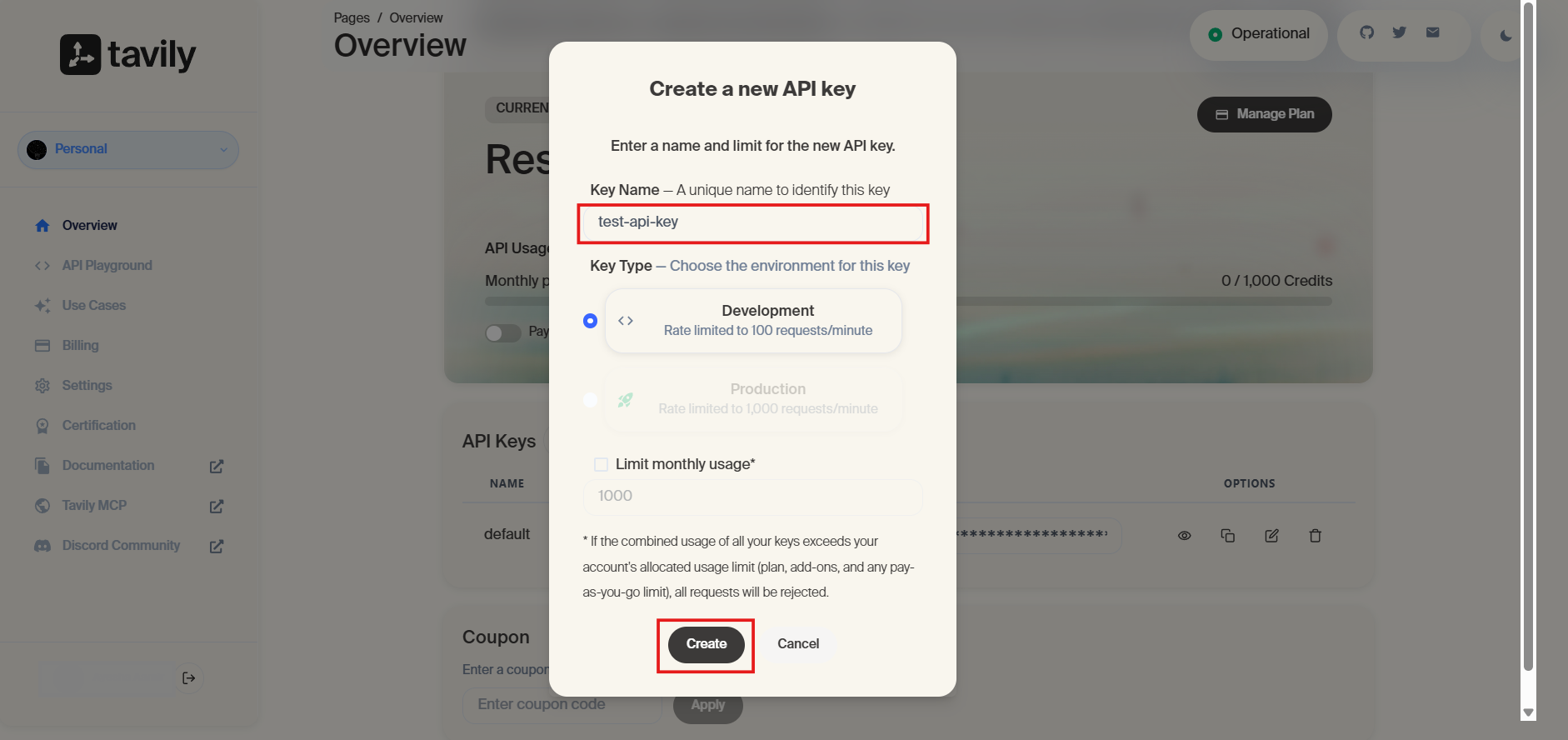
If you need separate keys for different projects or environments — such as development and production — you can create additional API keys from the dashboard. Click the + sign beside API Keys, give it a descriptive name (e.g., dev-env or prod-env), and save it.
Each key tracks usage independently, making it easier to monitor consumption per project and revoke access without disrupting other environments.
Step 7: review your plan and usage limits
After creating your API key, navigate to the billing or plan section of your dashboard.
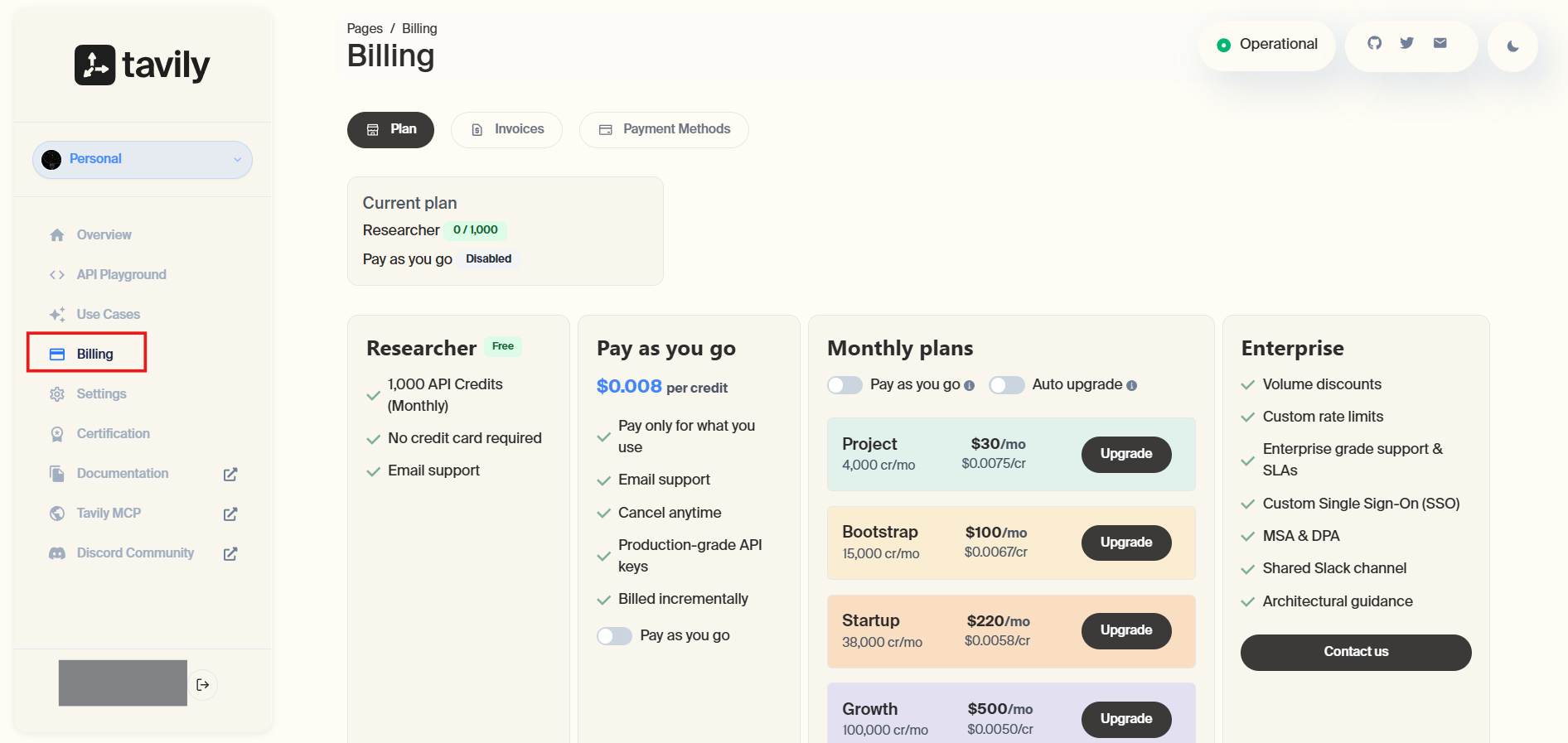
Tavily offers a free tier that includes a set number of API calls per month — sufficient for experimentation and development. Paid plans unlock higher request limits and access to advanced search features. Review your current plan and upgrade if your project requires higher throughput.
What capabilities does a Tavily API key unlock?
Once your API key is active, you gain access to a focused set of search capabilities designed for AI-native applications.
Real-time web search
Tavily's core capability is executing web searches that return clean, structured results in real time. Rather than raw HTML or a list of links, Tavily parses and filters page content to return summaries, relevant snippets, and source URLs in a format ready for direct injection into an LLM's context window.
AI-optimized result summarization
Each search result can include an AI-generated summary of the source content, reducing the need for your application to perform additional post-processing. This is especially valuable in agent workflows where speed and token efficiency matter.
Context window–friendly output
Tavily is designed with LLM context limits in mind. Results are pre-filtered and truncated to avoid context bloat, returning only the most relevant content per source.
Topic-aware search modes
Tavily supports different search depths and topic filters, allowing you to fine-tune searches for general web content, news, or domain-specific queries. This makes it adaptable across use cases from research assistants to customer support bots.
Native framework integrations
Tavily is natively supported in major AI frameworks. This means you can plug it in as a tool for LangChain agents, LlamaIndex pipelines, CrewAI crews, and other orchestration systems without writing custom integration code.
Core API settings you should understand
Beyond choosing a capability, developers can control how Tavily behaves using request parameters. These settings directly influence result quality, token usage, and reliability in production systems.
query
The natural language search query. This is the only required parameter. Phrase it the way a person would ask a question or search for information, as Tavily is optimized for natural language input.
search_depth
Controls how thoroughly Tavily searches the web. basic returns faster results with less processing; advanced performs deeper retrieval and is better suited for research-intensive tasks. advanced consumes more API credits per call.
topic
Filters the type of content returned. The default is general for broad web search. Setting it to news prioritizes recent news articles and time-sensitive content.
max_results
Sets the maximum number of results to return per query. Fewer results reduce token usage; more results improve coverage for complex queries. A value between 3 and 7 is typical for most agent use cases.
include_answer
When set to true, Tavily generates a short AI-synthesized answer based on the search results — in addition to the raw results themselves. This is useful when you want a ready-to-use response rather than raw source material.
include_raw_content
Returns the full extracted text of each result page. Useful when you need to pass source content directly into an LLM for further processing, but be mindful of token limits.
include_domains / exclude_domains
Restricts or filters results by domain. Use include_domains to target specific authoritative sources (e.g., ["arxiv.org", "docs.python.org"]) or exclude_domains to suppress low-quality or irrelevant sites.
For the most up-to-date and complete description of request parameters and response schemas, refer to the official Tavily API documentation.
This reference is especially useful when implementing advanced configurations or validating parameter behavior against the latest API changes.
Security and best practices
Because API keys grant direct access to your Tavily account and its usage quota, proper handling is critical. Best practices include storing API keys in environment variables rather than hardcoding them, never exposing keys in client-side code where they can be accessed publicly, rotating keys periodically to reduce long-term risk, and actively monitoring usage while setting spending limits to prevent unexpected costs or misuse.
What comes next
With a Tavily API key created, your setup is complete. You now have everything required to add real-time search capabilities to your AI applications.
From here, the focus shifts from configuration to usage: securely storing the key, making authenticated search requests, and connecting Tavily to your LLM pipeline or agent framework to build applications that can reason over current, live information.